GNU-devel ELPA: colorful-mode
colorful-mode 
- Description
- Preview any color in your buffer in real time
- Latest
- colorful-mode-1.2.5.0.20260804.18.tar (.sig), 2026-Aug-16, 70.0 KiB
- Maintainer
- Jen-Chieh <jcs090218@gmail.com>
- Elias G. Perez <eg642616@gmail.com>
- Other versions:
- release version
- Website
- https://github.com/DevelopmentCool2449/colorful-mode
- ELPA's Repository
- CGit or Gitweb
- All Dependencies
- compat (.tar) cl-lib (.tar)
- Badge

To install this package from Emacs, use package-install or list-packages.
Full description
Preview any color in your buffer in real time.




🎨 colorful-mode is a minor mode that allow you highlight/preview any color
format such as color hex and color names, in your current buffer
in real time and in a user friendly way based/inspired on 🌈rainbow-mode.el.
1. Features ✨
- Real time color highlight.
- Supports:
- Hexadecimal (#RRGGBB, #RGB, #RRGGBBAA, #RGBA).
- Color names (Emacs, HTML, CSS).
- CSS
- rgb/rgba
- hsl/hsla
- oklab/oklch
- user-defined colors variables:
- gtk @define-color
- var()
- LaTeX colors (gray, rbg, RGB, HTML)
- Convert current color at point or in region to other formats such as hexadecimal or color names (only available for some colors) with mouse click support.
- Prefix/suffix string instead highlight (Optional).
- Highlight only in strings (Optional).
- Extensible highlighting.
- Blacklist color keywords from being highlighted.
2. Screenshots and animated GIFs 📷
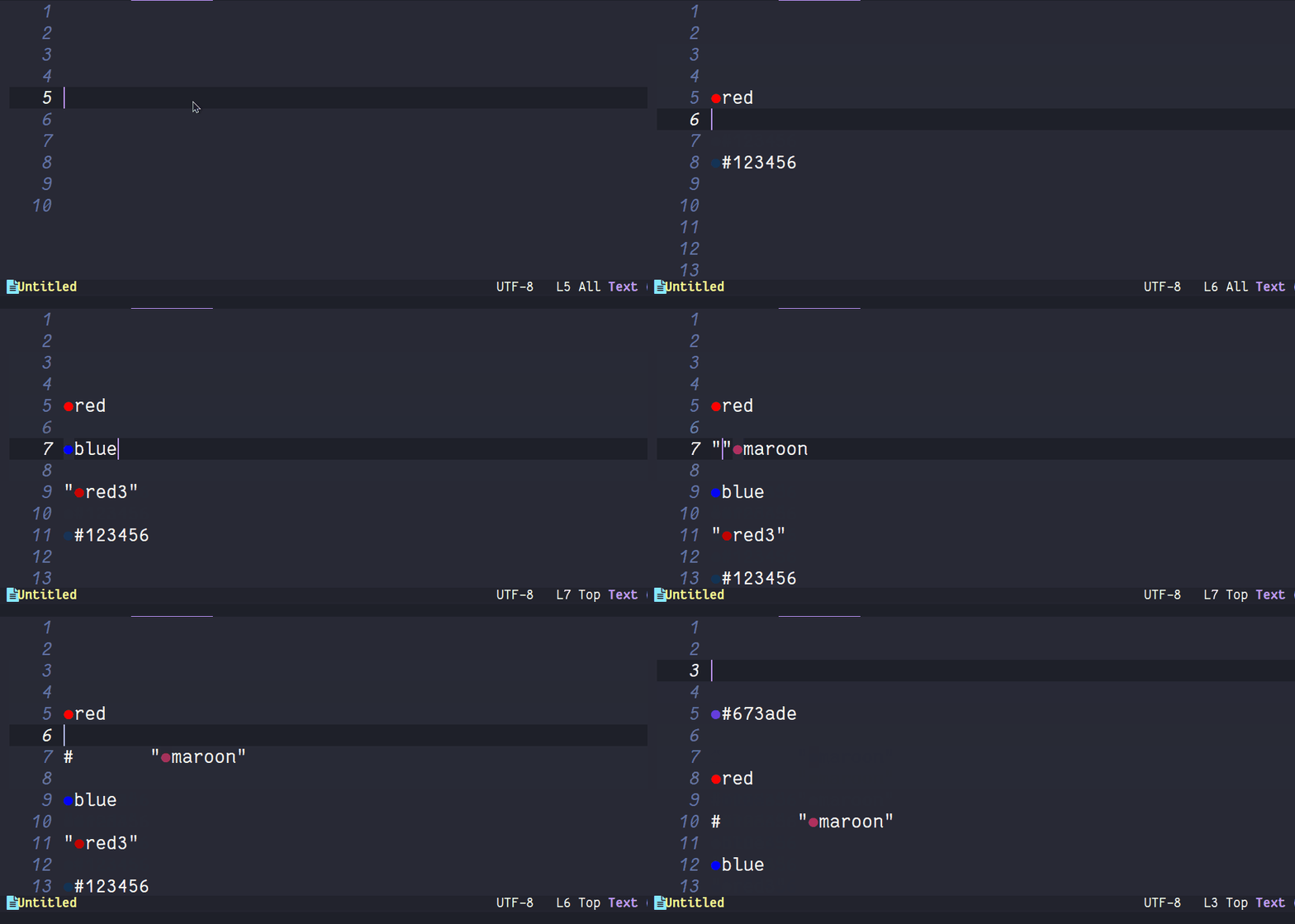
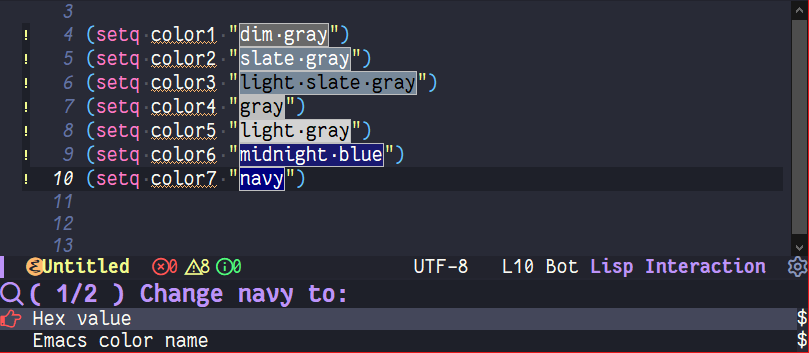 Supports for both GUI/TUI.
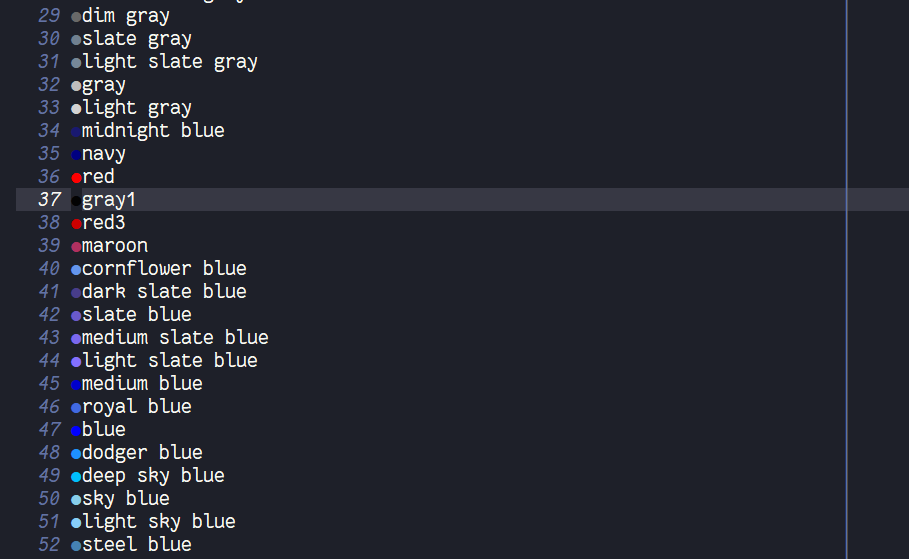 Support for custom color string indicator.
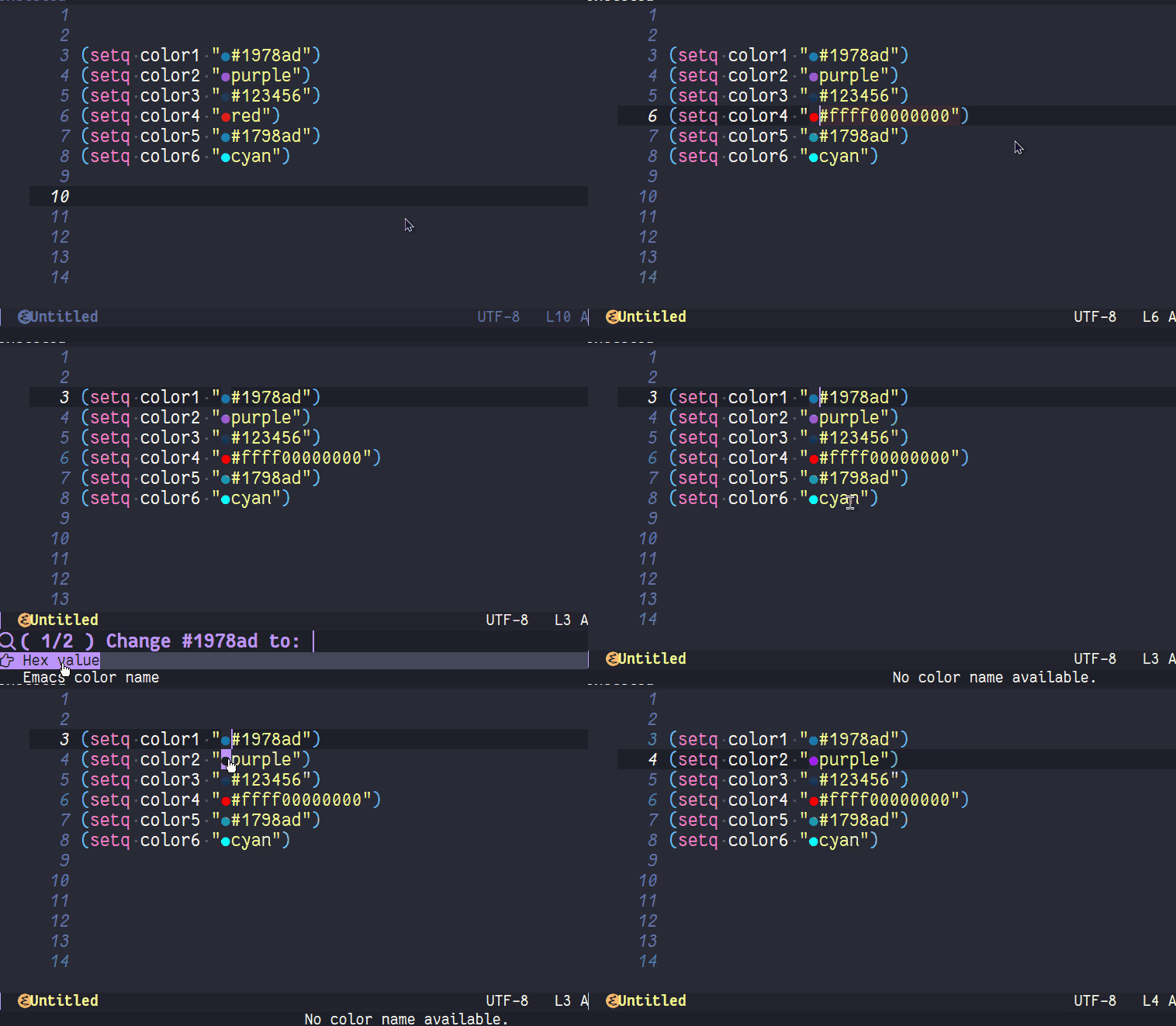 Change color support in real time.
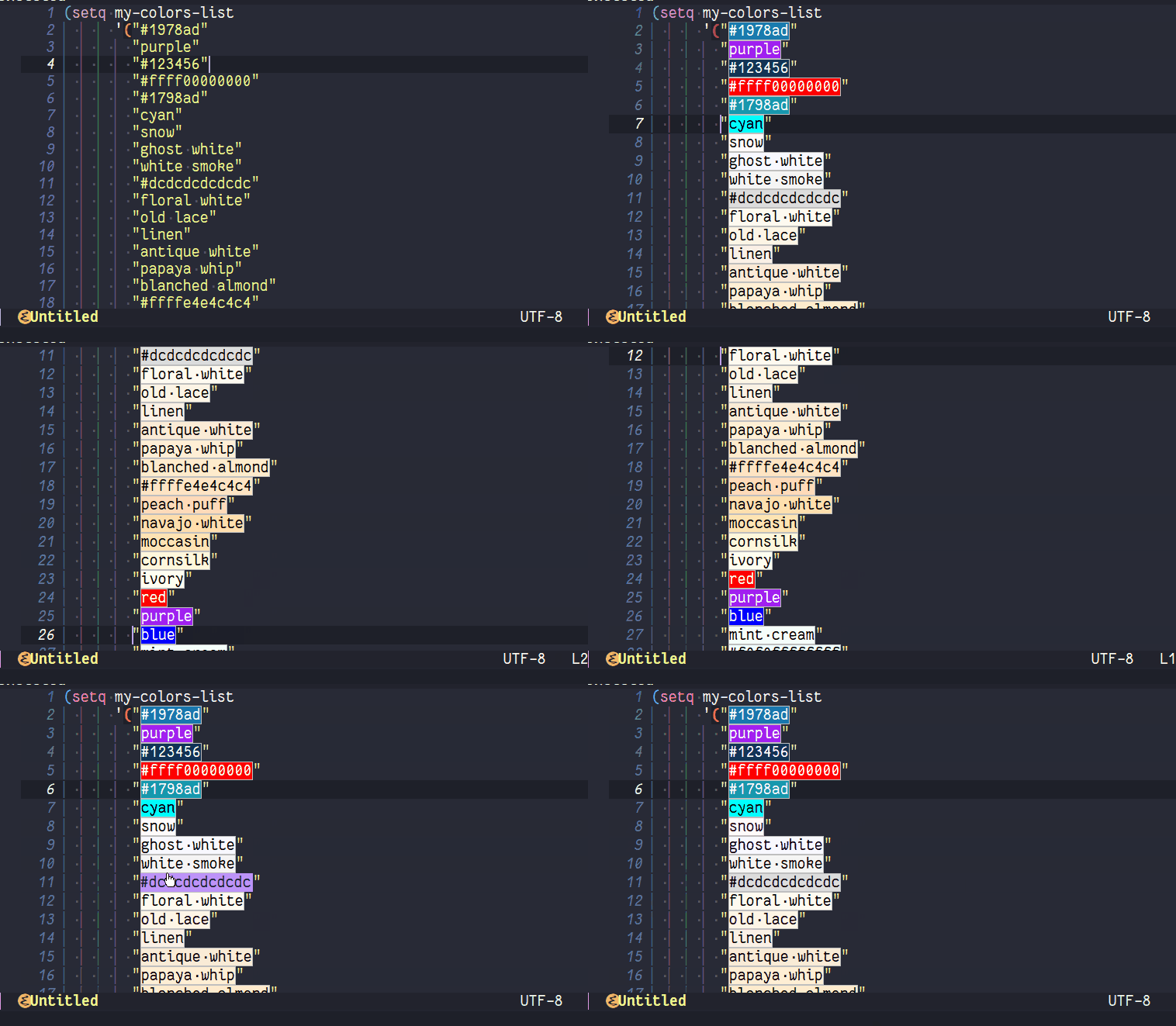 Support for color changing at region.
3. User Options 🔧
3.1. Customizable User options
colorful-allow-mouse-clicks (default: t)If non-nil, allow using mouse buttons for change color.colorful-use-prefix (default: nil)If non-nil, use prefix for preview color instead highlight them.
[!WARNING]
css-derived modes colorize rgb and hex colors out the box, this may interfere with colorful prefix, you can disable this setting 'css-fontify-colors' to nil
colorful-prefix-string (default: "●")String to be used in highlights.colorful-prefix-alignment (default: 'left)The position to put prefix string.colorful-extra-color-keyword-functionsList of functions to add color highlighting to colorful-color-keywords.colorful-exclude-colors (default: '("#define"))List of keywords not to highlight.colorful-short-hex-conversions (default: t)If non-nil, colorful will converted long hex colors to \"#RRGGBB\" format.colorful-only-strings (default: nil)If non-nil, colorful will only highlight colors inside strings.colorful-highlight-in-comments (default: nil)If non-nil, colorful will highlight colors inside comments.colorful-html-colors-alistAlist of HTML colors. Each entry should have the form (COLOR-NAME . HEXADECIMAL-COLOR).global-colorful-modes (default: '(prog-mode help-mode html-mode css-mode latex-mode))Which major modes global-colorful-mode is switched on in (globally).
3.2. Faces
colorful-baseFace used as base for highlight color names. Changing background or foreground color will have no effect.
3.3. Interactive User Functions.
colorful-change-or-copy-colorChange or copy color at point to another format.colorful-convert-and-change-colorConvert color at point or colors in region to another format.colorfu-convert-and-copy-colorConvert color at point to another format and copy it to the kill ring.colorful-modeBuffer-local minor mode.global-colorful-modeGlobal minor mode.
3.4. Key bindings
These key bindings are defined by: colorful-mode-map
C-x c x→colorful-change-or-copy-color.C-x c c→colorful-convert-and-copy-color.C-x c r→colorful-convert-and-change-color.
4. Setups and Guides 📖
4.1. Enabling colors to specifics major-modes
If you want to use css rgb colors outside css-derived modes, you can add them to `colorful-extra-color-keyword-functions' in your config.
(add-to-list 'colorful-extra-color-keyword-functions '(insert-your-major-mode . colorful-add-rgb-colors))
If you want also use hsl and rgb together you can use this
(add-to-list 'colorful-extra-color-keyword-functions '(insert-your-major-mode . (colorful-add-rgb-colors colorful-add-hsl-colors)))
colorful provides extra functions out-the-box that enable additional highlighting:
colorful-add-hex-colors: Enable Hexadecimal colors highlighting.colorful-add-emacs-color-names: Enable Emacs specific color names highlighting. (Useful for theme creators)colorful-add-web-color-names: Enable CSS/HTML color names highlighting.colorful-add-css-variables-colors: Enable CSS user-defined color variables highlighting.colorful-add-rgb-colors: Enable CSS RGB colors highlighting.colorful-add-oklab-oklch-colors: Enable CSS OkLab and OkLch colors highlighting.colorful-add-hsl-colors: Enable CSS HSL colors highlighting.colorful-add-latex-colors: Enable LaTeX rgb/RGB/HTML/Grey colors highlighting.colorful-add-ansi-shell-colors: Enable ANSI shell color highlighting.
(See: colorful-extra-color-keyword-functions for more details.)
5. Usage and Installation 📦
It's recommended that you must use emacs-28.x or higher.
For install colorful run:
M-x package-install colorful-mode
Once you have it installed you can activate colorful locally in your
buffer with M-x colorful-mode, if want enable it globally without
using hooks then you can do M-x global-colorful-mode
6. Configuration ⚙️
Example (Personal) configuration for your init.el:
(use-package colorful-mode
  ;; :diminish
  ;; :ensure t ; Optional
  :custom
  (colorful-use-prefix t)
  (colorful-only-strings 'only-prog)
  (css-fontify-colors nil)
  :config
  (global-colorful-mode t)
  (add-to-list 'global-colorful-modes 'helpful-mode))
6.1. Disable colorful in regions
If you want to disable colorful at region this hack may be useful for you:
(add-hook 'post-command-hook
          (lambda ()
            "delete colorful overlay on active mark"
            (when-let* (colorful-mode
                        (beg (use-region-beginning))
                        (end (use-region-end)))
              ;; Remove full colorful overlay instead only the part where
              ;; the region is.
                  (dolist (ov (overlays-in beg end))
                    (when (overlay-get ov 'colorful--overlay)
                      (delete-overlay ov))))))

(add-hook 'deactivate-mark-hook
          (lambda ()
            "refontify deleted mark"
            (when-let* (colorful-mode
                        (beg (region-beginning))
                        (end (region-end)))
              (font-lock-flush beg end))))
7. How does it compare to rainbow-mode or built-in css fontify colors?
colorful-mode improves rainbow-mode and css fontify-colors in adding more features:
| Comparison | colorful-mode.el | rainbow-mode.el | built-in css-mode |
|---|---|---|---|
| Compatible with hl-line and other overlays? | ✓ | ❌ | ❌ |
| Convert color to other formats? | ✓ | ❌ | ✓ |
| Optionally use string prefix/suffix instead highlight | ✓ | ❌ | ❌ |
| Blacklist colors? | ✓ | ❌1 | ❌ |
| Allow highlight specifics colors in specific modes | ✓ | ✓2 | ❌ |
| Optionally highlight only in strings | ✓ | ❌ | ❌ |
| No performance issues?3 | ❌ | ✓ | ✓ |
[1] rainbow-mode (like colorful) uses regex for highlight some
    keywords, however it cannot exclude specifics colors (such as
    "#def" that overrides C "#define" keyword).
[2] Only for some colors.
[3] I didn't a benchmark however due colorful-mode uses overlays
    instead text properties it can be a bit slow.
The intention is to provide a featured alternative to
rainbow-mode.el and css-fontify-colors with a user-friendly approach.
If you prefer only highlights without color conversion, prefix/suffix
string indicator and/or anything else you can use rainbow-mode.el.
or something built-in and just for css then use built-in css-fontify-colors which is activated by default
On the other hand, if you want convert colors, overlays, optional
prefix strings and more features you can use colorful-mode.el.
8. How to Contribute
colorful-mode is part of GNU ELPA, if you want send patches you will need assign copyright to the Free Software Foundation. Please see the CONTRIBUTING.org file for getting more information.