Ellama 
file:https://img.shields.io/badge/license-GPL_3-green.svg file:https://melpa.org/packages/ellama-badge.svg file:https://stable.melpa.org/packages/ellama-badge.svg file:https://elpa.gnu.org/packages/ellama.svg
Ellama brings large language models into Emacs without turning Emacs into a web app. You can use it for ordinary chat, one-shot commands over the current buffer or region, and longer sessions that keep their history. It also has agent loops for work that needs several steps: make a plan, call tools, read project context, and continue from the previous turn.
Ellama is not tied to one backend. It uses the llm package, so Ollama works with a local model, and the same Ellama commands can be configured for OpenAI-compatible APIs, OpenAI, Claude, Gemini, Vertex, GPT4All, LlamaCpp, and other llm providers. When a provider supports extra capabilities, Ellama uses them: streaming responses, model lists, image and audio input, tool calls, token limits, and interactive model switching.
Context is first-class. A request can include buffers, files, directories, Info nodes, selections, images, and audio files. Chat sessions can be saved, resumed, renamed, compacted manually, or compacted automatically before they run past the model context window. The everyday commands cover translation, summarization, proofreading, code review and editing, extraction, formatting, commit-message generation, and provider selection.
For tool-using agents, Ellama reads project instructions from AGENTS.md, can
load reusable skills and blueprint prompts, and runs plan-and-act loops or
subagents from the task tool. Tool calls are still subject to project policy:
filesystem checks, edit hooks, and DLP scans can block or warn on reads, writes,
shell commands, and tool output.
The name "ellama" is derived from "Emacs Large LAnguage Model Assistant".
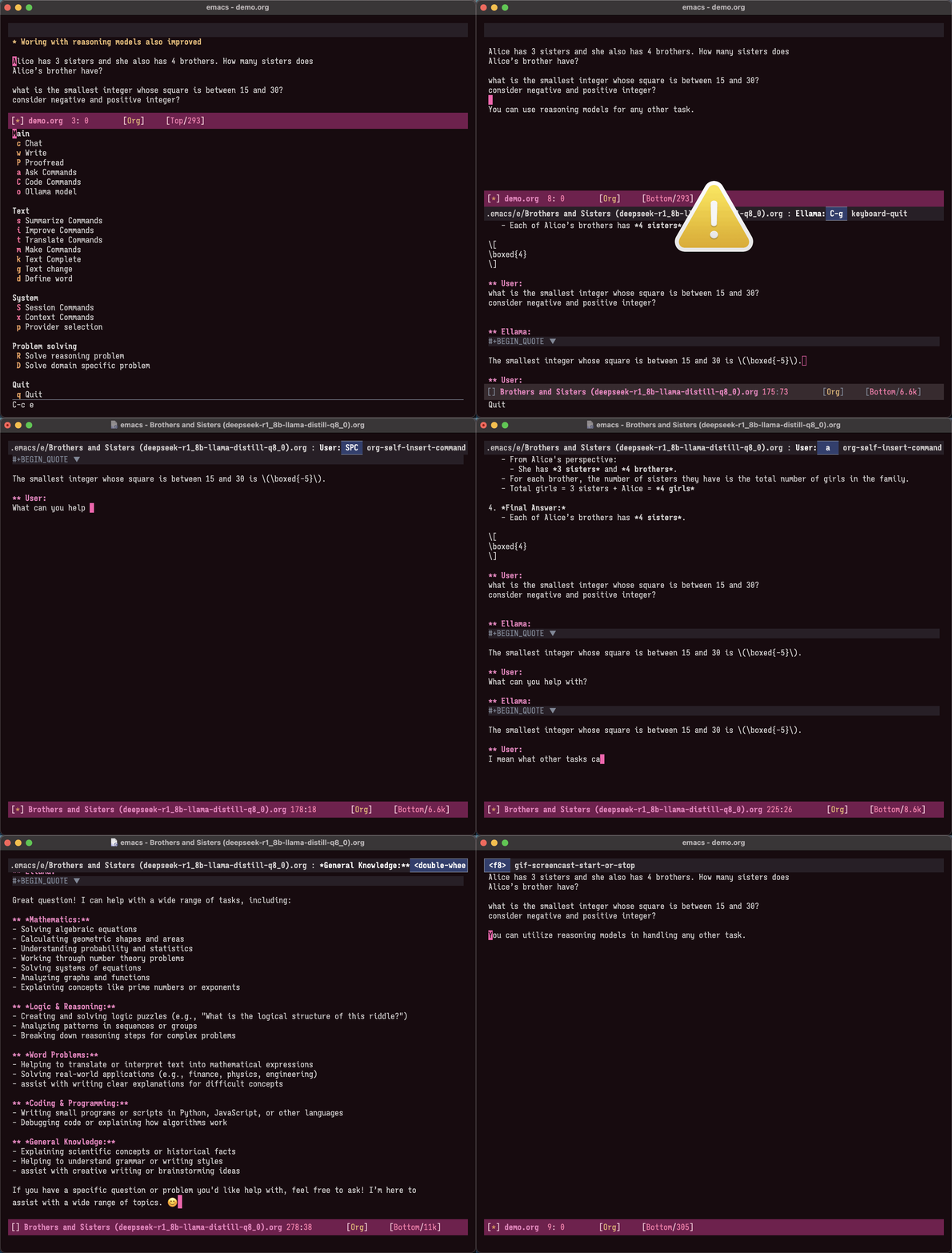
Table of Contents
- 1 Installation
- 2 Commands
- 3 Keymap
- 4 Configuration
- 4.1 Option Reference
- 4.1.1 Core Behavior and Providers
- 4.1.2 Sessions and Naming
- 4.1.3 Task Providers and Media
- 4.1.4 Display Context and Reasoning
- 4.1.5 Blueprints Prompts and Conversion
- 4.1.6 Tool Prompts and Edit Behavior
- 4.1.7 DLP and Irreversible Actions
- 4.1.8 Transient Menus Community Prompts and Diagnostics
- 4.1.9 Tool Access and Sandboxing
- 4.1.10 Task Templates Blueprints and Skills
- 4.1.11 Agent and Subagent Loops
- 4.2 Session Provider Keys
- 4.3 Session Compaction
- 4.4 Image Input
- 4.5 Audio Input
- 4.6 Task Tool Subagents
- 4.7 Plan-and-Act Agent Loop
- 4.8 Edit Tool Shell Hooks
- 4.9 DLP for Tool Input/Output
- 4.10 SRT Filesystem Policy for Tools
- 4.1 Option Reference
- 5 Context Management
- 6 Minor modes
- 7 Using Blueprints
- 8 MCP Integration
- 9 Agent Skills
- 10 Acknowledgments
- 11 Contributions
- Appendix A GNU Free Documentation License
1 Installation 
Install Ellama from GNU ELPA:
M-x package-install RET ellama RET
By default Ellama uses the first available Ollama model. If you want to use that default, install Ollama and pull a model from the Ollama library:
ollama pull qwen3.6:35b
The examples below use qwen3.6:35b for agentic coding. Replace it with a
model that is available in your Ollama installation if needed.
You can also use another LLM provider. The smallest useful Emacs setup is:
(use-package ellama
  :ensure t
  :bind ("C-c e" . ellama)
  :hook (org-ctrl-c-ctrl-c-hook . ellama-chat-send-last-message)
  :init (setopt ellama-auto-scroll t)
  :config
  (ellama-context-header-line-global-mode +1)
  (ellama-session-header-line-global-mode +1))
Agentic coding setup:
(use-package ellama
  :ensure t
  :bind ("C-c e" . ellama)
  :hook (org-ctrl-c-ctrl-c-hook . ellama-chat-send-last-message)
  :init
  (require 'llm-ollama)
  (setopt ellama-provider
          (make-llm-ollama
           :chat-model "qwen3.6:35b"
           :embedding-model "nomic-embed-text"))
  :config
  ;; Agent defaults for long coding sessions: enable tools, compact old
  ;; context, show sub-agent buffers, enforce DLP, block irreversible actions,
  ;; and give agent loops enough steps to finish real work.
  (ellama-setup-agentic-coding)

  ;; With an srt policy, normal tool confirmations are skipped, ordinary DLP
  ;; input findings are allowed, output findings are redacted, and
  ;; irreversible actions are still blocked.  Without SRT, confirmations stay
  ;; active and ordinary DLP input/output findings ask first.
  ;; (ellama-setup-agentic-coding
  ;;  "~/.config/ellama/srt-autonomous.json")

  (ellama-context-header-line-global-mode +1)
  (ellama-session-header-line-global-mode +1))
Optional provider-specific settings:
(use-package ellama
  :ensure t
  :bind ("C-c e" . ellama)
  :hook (org-ctrl-c-ctrl-c-hook . ellama-chat-send-last-message)
  :init
  (require 'llm-ollama)
  (setopt ellama-provider
          (make-llm-ollama
           :chat-model "qwen3.6:35b"
           :embedding-model "nomic-embed-text"
           :default-chat-non-standard-params '(("num_ctx" . 32768))))
  (setopt ellama-language "German"
          ellama-naming-scheme 'ellama-generate-name-by-llm
          ellama-chat-display-action-function #'display-buffer-full-frame
          ellama-instant-display-action-function #'display-buffer-at-bottom)
  :config
  (ellama-context-header-line-global-mode +1)
  (ellama-session-header-line-global-mode +1)
  (advice-add 'pixel-scroll-precision :before #'ellama-disable-scroll)
  (advice-add 'end-of-buffer :after #'ellama-enable-scroll))
2 Commands 
- Core Chat and Agent Setup
- Ask and Media Input
- Text Writing and Transformation
- Code
- Providers and Models
- Sessions
- Context
- Chat Translation
- Blueprints and Community Prompts
- Tools and DLP
2.1 Core Chat and Agent Setup 
ellama: This is the entry point for Ellama. It displays the main transient menu, allowing you to access all other Ellama commands from here.ellama-chat: Ask Ellama about something by entering a prompt in an interactive buffer and continue conversation. If called with universal argument (C-u) will start new session with llm model interactive selection.ellama-chat-send-last-message: Send last user message extracted from current ellama chat buffer.ellama-plan-and-act: Start an agent loop that first creates a checklist plan and then acts on it with automatic continuations. It reuses the current chat session when possible and can be launched from the main transient menu withAin theProblem solvingsection.ellama-setup-agentic-coding: Apply coding-agent defaults for long sessions: enable all tools, enforce DLP, block irreversible actions, and use longer agent loops. Pass ansrtsettings file to enable lower-prompt tool use inside that sandbox.
2.2 Ask and Media Input 
ellama-ask-about: Ask Ellama about a selected region or the current buffer. Automatically adds selected region or current buffer to ephemeral context for one request.ellama-ask-selection: Send selected region or current buffer to ellama chat.ellama-ask-line: Send current line to ellama chat.ellama-ask-image: Ask Ellama about one image file by adding it as ephemeral context for the request. If called with universal argument (C-u) will start new session with llm model interactive selection.ellama-chat-with-image: Ask Ellama about one image file. If called with universal argument (C-u) will start new session with llm model interactive selection.ellama-chat-with-images: Ask Ellama about multiple image files. If called with universal argument (C-u) will start new session with llm model interactive selection.ellama-ask-audio: Ask Ellama about one audio file by adding it as ephemeral context for the request. If called with universal argument (C-u) will start new session with llm model interactive selection.ellama-chat-with-audio: Ask Ellama about one audio file. If called with universal argument (C-u) will start new session with llm model interactive selection.ellama-chat-with-audios: Ask Ellama about multiple audio files. If called with universal argument (C-u) will start new session with llm model interactive selection.ellama-ask-audio-recording: Record a short audio message from the microphone and ask Ellama about it.ellama-chat-with-audio-recording: Record a short audio message from the microphone and send it to chat.ellama-record-audio: Record a short audio message from the microphone and return the recorded file.ellama-start-audio-recording: Start microphone recording without a fixed duration.ellama-stop-audio-recording: Stop microphone recording and return the recorded file.
2.3 Text Writing and Transformation 
ellama-write: This command allows you to generate text using an LLM. When called interactively, it prompts for an instruction that is then used to generate text based on the context. If a region is active, the selected text is added to ephemeral context before generating the response.ellama-complete: Complete text in current buffer with ellama.ellama-translate: Ask Ellama to translate a selected region or word at the point.ellama-translate-buffer: Translate current buffer.ellama-define-word: Find the definition of the current word using Ellama.ellama-summarize: Summarize a selected region or the current buffer using Ellama.ellama-summarize-killring: Summarize text from the kill ring.ellama-code-review: Review code in a selected region or the current buffer using Ellama. Automatically adds selected region or current buffer to ephemeral context for one request.ellama-change: Change text in a selected region or the current buffer according to a provided change.ellama-make-list: Create a markdown list from the active region or the current buffer using Ellama.ellama-make-table: Create a markdown table from the active region or the current buffer using Ellama.ellama-summarize-webpage: Summarize a webpage fetched from a URL using Ellama.ellama-proofread: Proofread selected text.ellama-improve-wording: Enhance the wording in the currently selected region or buffer using Ellama.ellama-improve-grammar: Enhance the grammar and spelling in the currently selected region or buffer using Ellama.ellama-improve-conciseness: Make the text of the currently selected region or buffer concise and simple using Ellama.ellama-make-format: Render the currently selected text or the text in the current buffer as a specified format using Ellama.
2.4 Code 
ellama-code-review: Review code in a selected region or the current buffer using Ellama. Automatically adds selected region or current buffer to ephemeral context for one request.ellama-code-complete: Complete selected code or code in the current buffer according to a provided change using Ellama.ellama-code-add: Generate and insert new code based on description. This function prompts the user to describe the code they want to generate. If a region is active, it includes the selected text in ephemeral context for code generation.ellama-code-edit: Change selected code or code in the current buffer according to a provided change using Ellama.ellama-code-improve: Change selected code or code in the current buffer according to a provided change using Ellama.ellama-generate-commit-message: Generate commit message based on diff.
2.5 Providers and Models 
ellama-provider-select: Select ellama provider.ellama-select-model: Change the current provider model interactively. The model transient can switch the provider type as well as the model. Built-in choices include Ollama, OpenAI-compatible, OpenAI, Claude, Gemini, DeepSeek, OpenRouter, Azure OpenAI, GitHub Models, Vertex AI, GPT4All, and Llama.cpp. It also supports providers with achat-modelslot. URL editing is available when the provider has aurlslot. It can also set the maximum number of output tokens. Use "Reset model fields" to clear model, temperature, context-length, and max-token overrides and let the provider use its defaults; reset values are shown asdefaultin the transient.
2.6 Sessions 
ellama-load-session: Load ellama session from file.ellama-session-delete: Delete ellama session.ellama-session-switch: Change current active session.ellama-session-kill: Select and kill one of active sessions.ellama-session-rename: Rename current ellama session.ellama-session-compact-current: Compact current Ellama session context.ellama-session-compact: Select and compact an active Ellama session context.
2.7 Context 
ellama-context-add-file: Add file to context.ellama-context-add-image: Add image file to context.ellama-context-add-audio: Add audio file to context.ellama-context-add-audio-recording: Record a short audio message and add it to context.ellama-context-start-audio-recording: Start microphone recording without a fixed duration.ellama-context-stop-audio-recording: Stop microphone recording and add the recorded file to context.ellama-context-add-directory: Add all files in directory to the context.ellama-context-add-buffer: Add buffer to context.ellama-context-add-selection: Add selected region to context.ellama-context-add-info-node: Add info node to context.ellama-context-reset: Clear global context.ellama-context-manage: Manage the global context. Inside context management buffer you can see ellama context elements. Available actions with key bindings:n: Move to the next line.p: Move to the previous line.q: Quit the window.g: Update context management buffer.a: Open the transient context menu for adding new elements.d: Remove the context element at the current point.RET: Preview the context element at the current point.
ellama-context-preview-element-at-point: Preview ellama context element at point. Works inside ellama context management buffer.ellama-context-remove-element-at-point: Remove ellama context element at point from global context. Works inside ellama context management buffer.
2.8 Chat Translation 
ellama-chat-translation-enable: Enable chat translation.ellama-chat-translation-disable: Disable chat translation.
2.9 Blueprints and Community Prompts 
ellama-community-prompts-select-blueprint: Select a prompt from the community prompt collection. The user is prompted to choose a role, and then a corresponding prompt is inserted into a blueprint buffer.ellama-blueprint-fill-variables: Prompt user for values of variables found in current blueprint buffer and update them.
2.10 Tools and DLP 
ellama-tools-enable-by-name: Enable a specific tool by its name. Use this command to activate individual tools. Requires the tool name as input.ellama-tools-enable-all: Enable all available tools at once. Use this command to activate every tool in the system for comprehensive functionality without manual selection.ellama-tools-disable-by-name: Disable a specific tool by its name. Use this command to deactivate individual tools when their functionality is no longer needed.ellama-tools-disable-all: Disable all enabled tools simultaneously. Use this command to reset the system to a minimal state, ensuring no tools are active.ellama-tools-dlp-show-incident-stats: Show a summary buffer with recent DLP incident statistics.ellama-tools-dlp-clear-session-bypasses: Clear session-scoped DLP bypasses.ellama-tools-dlp-reset-runtime-state: Reset in-memory DLP runtime state, including incident logs and detector caches.
3 Keymap 
It’s better to use a transient menu (M-x ellama) instead of a keymap. It
offers a better user experience.
In any buffer where there is active ellama streaming, you can press C-g and it
will cancel current stream.
Here is a table of keybindings and their associated functions in Ellama, using
the ellama-keymap-prefix prefix (not set by default):
| Keymap | Function | Description |
|---|---|---|
| "w" | ellama-write | Write |
| "c c" | ellama-code-complete | Code complete |
| "c a" | ellama-code-add | Code add |
| "c e" | ellama-code-edit | Code edit |
| "c i" | ellama-code-improve | Code improve |
| "c r" | ellama-code-review | Code review |
| "c m" | ellama-generate-commit-message | Generate commit message |
| "s s" | ellama-summarize | Summarize |
| "s w" | ellama-summarize-webpage | Summarize webpage |
| "s c" | ellama-summarize-killring | Summarize killring |
| "s l" | ellama-load-session | Session Load |
| "s r" | ellama-session-rename | Session rename |
| "s d" | ellama-session-delete | Session delete |
| "s a" | ellama-session-switch | Session activate |
| "P" | ellama-proofread | Proofread |
| "i w" | ellama-improve-wording | Improve wording |
| "i g" | ellama-improve-grammar | Improve grammar and spelling |
| "i c" | ellama-improve-conciseness | Improve conciseness |
| "m l" | ellama-make-list | Make list |
| "m t" | ellama-make-table | Make table |
| "m f" | ellama-make-format | Make format |
| "a a" | ellama-ask-about | Ask about |
| "a i" | ellama-chat | Chat (ask interactively) |
| "a I" | ellama-ask-image | Ask image |
| "a A" | ellama-ask-audio | Ask audio |
| "a R" | ellama-ask-audio-recording | Record audio and ask |
| "a l" | ellama-ask-line | Ask current line |
| "a s" | ellama-ask-selection | Ask selection |
| "t t" | ellama-translate | Text translate |
| "t b" | ellama-translate-buffer | Translate buffer |
| "t e" | ellama-chat-translation-enable | Translation enable |
| "t d" | ellama-chat-translation-disable | Translation disable |
| "t c" | ellama-complete | Text complete |
| "d w" | ellama-define-word | Define word |
| "x b" | ellama-context-add-buffer | Context add buffer |
| "x f" | ellama-context-add-file | Context add file |
| "x d" | ellama-context-add-directory | Context add directory |
| "x I" | ellama-context-add-image | Context add image |
| "x A" | ellama-context-add-audio | Context add audio |
| "x R" | ellama-context-add-audio-recording | Context record audio |
| "x S" | ellama-context-start-audio-recording | Start audio recording |
| "x E" | ellama-context-stop-audio-recording | Stop audio recording |
| "x s" | ellama-context-add-selection | Context add selection |
| "x i" | ellama-context-add-info-node | Context add info node |
| "x r" | ellama-context-reset | Context reset |
| "p s" | ellama-provider-select | Provider select |
4 Configuration 
Ellama has many options because it covers chat, context, tools, agents, DLP, SRT, blueprints, and provider-specific workflows. The reference below is grouped by area so the common settings are easier to find.
- Option Reference
- Session Provider Keys
- Session Compaction
- Image Input
- Audio Input
- Task Tool Subagents
- Plan-and-Act Agent Loop
- Edit Tool Shell Hooks
- DLP for Tool Input/Output
- SRT Filesystem Policy for Tools
4.1 Option Reference 
- Core Behavior and Providers
- Sessions and Naming
- Task Providers and Media
- Display Context and Reasoning
- Blueprints Prompts and Conversion
- Tool Prompts and Edit Behavior
- DLP and Irreversible Actions
- Transient Menus Community Prompts and Diagnostics
- Tool Access and Sandboxing
- Task Templates Blueprints and Skills
- Agent and Subagent Loops
4.1.1 Core Behavior and Providers 
ellama-enable-keymap: Enable the Ellama keymap.ellama-keymap-prefix: The keymap prefix for Ellama.ellama-user-nick: The user nick in logs.ellama-assistant-nick: The assistant nick in logs.ellama-language: The language for Ollama translation. Default
language is english.
ellama-provider: llm provider for ellama.
There are many supported providers: ollama, open ai, vertex,
GPT4All. For more information see
llm documentation.
ellama-max-tokens: Maximum number of tokens to generate. If not set, use the provider default.ellama-providers: association list of model llm providers with name as key.ellama-spinner-enabled: Enable spinner during text generation.ellama-spinner-type: Spinner type for ellama. Default type isprogress-bar.ellama-auto-scroll: If enabled ellama buffer will scroll automatically during generation. Disabled by default.ellama-fill-paragraphs: Option to customize ellama paragraphs filling behaviour.ellama-response-process-method: Configure how LLM responses are processed. Options include streaming for real-time output, async for asynchronous processing, or skipping every N messages to reduce resource usage.
4.1.2 Sessions and Naming 
ellama-name-prompt-words-count: Count of words in prompt to generate name.- Prompt templates for every command.
ellama-chat-done-callback: Callback that will be called on ellama
chat response generation done. It should be a function with single argument generated text string.
ellama-nick-prefix-depth: User and assistant nick prefix depth. Default value is 2.ellama-sessions-directory: Directory for saved ellama sessions.ellama-major-mode: Major mode for ellama commands. Org mode by default.ellama-session-auto-save: Automatically save ellama sessions if set. Enabled by default.ellama-session-persist-provider-keys: Control provider key persistence in saved session files. Disabled by default; set toauth-sourceto restore provider keys from auth-source lookup references.ellama-session-auto-compact-enabled: Automatically compact long chat session context. Enabled by default.ellama-session-auto-compact-token-threshold: Total token count that triggers automatic session compaction. If not set, Ellama usesellama-session-auto-compact-threshold-percentof the provider context window.ellama-session-auto-compact-threshold-percent: Percentage of provider context limit that triggers automatic compaction. Default value is 80.ellama-session-auto-compact-keep-last-turns: Number of recent user turns to keep verbatim during compaction. Default value is 3.ellama-session-auto-compact-allow-fewer-kept-turns: Allow compaction to keep fewer recent user turns when the configured keep count would otherwise prevent short but oversized sessions from being compacted. Enabled by default.ellama-session-auto-compact-target-token-threshold: Preferred target token count after compaction. If not set, Ellama targets half of the compaction threshold.ellama-session-auto-compact-provider: Provider used to summarize old session context. If not set, Ellama usesellama-summarization-provider, then the session provider.ellama-session-auto-compact-show-message: Show compaction notices in chat buffers. Enabled by default.ellama-session-auto-compact-include-tool-results: Include tool results in the history sent to the compaction provider. Disabled by default. Tool calls are still included so the summary can record actions taken during the session.ellama-session-auto-compact-prompt-template: Prompt template for automatic session context compaction.ellama-naming-scheme: How to name new sessions.ellama-naming-provider: LLM provider for generating session names by LLM. If not setellama-providerwill be used.
4.1.3 Task Providers and Media 
ellama-chat-translation-enabled: Enable chat translations if set.ellama-translation-provider: LLM translation provider.ellama-providerwill be used if not set.ellama-coding-provider: LLM coding tasks provider.ellama-providerwill be used if not set.ellama-image-file-extensions: File extensions supported for image input. SVG is intentionally unsupported.ellama-summarization-provider: LLM summarization provider.ellama-providerwill be used if not set.ellama-extraction-provider: LLM provider for data extraction.ellama-completion-provider: LLM provider for code completion tasks.
4.1.4 Display Context and Reasoning 
ellama-show-quotes: Show quotes content in chat buffer. Disabled by default.ellama-chat-display-action-function: Display action function forellama-chat.ellama-instant-display-action-function: Display action function forellama-instant.ellama-translate-italic: Translate italic during markdown to org transformations. Enabled by default.ellama-text-display-limit: Limit for text display in context elements.ellama-context-poshandler: Position handler for displaying context buffer.posframe-poshandler-frame-top-centerwill be used if not set.ellama-context-border-width: Border width for the context buffer.ellama-image-context-default-scope: Default scope for image context added interactively. Useephemeralfor one request only, orpersistentto keep image context until it is removed or reset.ellama-always-show-chain-steps: Show chain of intermediate steps during reasoning.ellama-session-remove-reasoning: Remove internal reasoning from the session after ellama provide an answer. This can improve long-term communication with reasoning models. Enabled by default.ellama-session-hide-org-quotes: Hide org quotes in the Ellama session buffer. From now on, think tags will be replaced with quote blocks. If this flag is enabled, reasoning steps will be collapsed after generation and upon session loading. Enabled by default.ellama-output-remove-reasoning: Eliminate internal reasoning from ellama output to enhance the versatility of reasoning models across diverse applications.ellama-context-posframe-enabled: Enable showing posframe with ellama context.ellama-context-manage-display-action-function: Display action function forellama-context-manage. Default valuedisplay-buffer-same-window.ellama-context-preview-element-display-action-function: Display action function forellama-context-preview-element.ellama-context-line-always-visible: Make context header or mode line always visible, even with empty context.ellama-show-reasoning: Show reasoning in separate buffer if enabled. Enabled by default.ellama-reasoning-display-action-function: Display action function for reasoning.ellama-display-session-buffer-on-generation: Display the session buffer whenever generation starts. This also applies to sub-agent sessions started by thetasktool, so delegated work is visible while it runs.ellama-session-line-template: Template for formatting the current session line.
4.1.5 Blueprints Prompts and Conversion 
ellama-blueprints: Directory or list of directories for blueprint storage.ellama-command-map: Keymap for ellama commands.ellama-eval-default-max-steps: Default maximum number of steps in eval loop.ellama-eval-keep-workspaces: Whether to keep workspaces after eval completion.ellama-eval-loop-detection-enabled: Enable detection of infinite loops in eval loops.ellama-eval-loop-detection-max-traces: Maximum number of traces for loop detection.ellama-eval-loop-detection-repeated-threshold: Threshold for repeated elements to trigger loop detection.ellama-eval-timeout-seconds: Timeout in seconds for eval operations.ellama-markdown-to-org-converter: Method for markdown to org conversion.ellama-pandoc-markdown-to-org-args: Arguments for pandoc markdown-to-org conversion.ellama-pandoc-program: Path to pandoc executable for markdown-to-org conversion.
4.1.6 Tool Prompts and Edit Behavior 
ellama-tools-agent-continue-prompt: Prompt template for agent continue operation.ellama-tools-agent-planning-prompt: Prompt template for agent planning.ellama-tools-balanced-edit-enabled: Enable balanced edit mode for tools.ellama-tools-balanced-edit-modes: Major modes eligible for balanced edit mode.ellama-tools-read-before-write-enabled: Enable read-before-write for tool operations.ellama-tools-shell-command-default-timeout: Default timeout for shell command execution.
4.1.7 DLP and Irreversible Actions 
ellama-tools-dlp-env-secret-entropy-threshold: Entropy threshold for detecting environment secrets.ellama-tools-dlp-env-secret-heuristic-stages: Stages in env secret heuristic detection.ellama-tools-dlp-env-secret-max-length: Maximum length for environment secret detection.ellama-tools-dlp-env-secret-min-length: Minimum length for environment secret detection.ellama-tools-dlp-env-secret-min-score: Minimum score for environment secret heuristic.ellama-tools-dlp-message-prefix: Prefix for DLP messages in logs.ellama-tools-dlp-redaction-placeholder-format: Format template for DLP redaction placeholders.ellama-tools-irreversible-high-confidence-block-rules: Rules for blocking high-confidence irreversible actions.
4.1.8 Transient Menus Community Prompts and Diagnostics 
ellama-transient-system-show-limit: Maximum number of system elements to show in transient.ellama-transient-provider-types: Provider types available for interactive switching in the model transient. Each entry specifies the provider record type, display label, library, and constructor.ellama-community-prompts-url: The URL of the community prompts collection.ellama-community-prompts-file: Path to the CSV file containing community prompts. This file is expected to be located inside anellamasubdirectory within youruser-emacs-directory.ellama-debug: Enable debug. When enabled, generated text is now logged to a*ellama-debug*buffer with a separator for easier tracking of debug information. The debug output includes the raw text being processed and is appended to the end of the debug buffer each time.ellama-undo-on-error: Undo partial buffer insertions when an LLM request fails. Disabled by default; when nil, Ellama keeps partial output inserted before the error.
4.1.9 Tool Access and Sandboxing 
ellama-tools-allow-all: Allowellamausing all the tools without user confirmation. Dangerous. Use at your own risk.ellama-tools-allowed: List of allowedellamatools. Tools from this list will work without user confirmation.ellama-tools-argument-max-length: Max length of function argument in the confirmation prompt. Default value 50.session_file: Materialize the full live Ellama session transcript to a private temporary file and return its path. Useread_file,grep_in_file, orlines_rangeto inspect it. The snapshot is refreshed on each call and removed with the session buffer. Reading the returned file still goes through the normal DLP and SRT filesystem checks.ellama-tools-read-file-default-mode: Default mode for theread_filetool. Useautoto read text files as text and supported image or audio files as media. Usetext,image, oraudioto force a specific mode.ellama-tools-dlp-safe-read-file-regexps: Canonical file-name regexps whoseread_file-style outputs skip output DLP scans. Defaults to Ellama source files in the loaded Ellama directory. Input DLP, other tool outputs, access checks and output line budgets still apply.ellama-tools-edit-before-shell-commands: Shell hook plists to run before mutating edit tools write files. Hooks run asynchronously from Emacs’ UI, but the edit tool result is returned to the agent only after hook processing finishes.ellama-tools-edit-after-shell-commands: Shell hook plists to run after mutating edit tools write files. Hooks run asynchronously from Emacs’ UI, but the edit tool result is returned to the agent only after hook processing finishes.ellama-tools-use-srt: Run shell-based tools (shell_command,grepandgrep_in_file) via the externalsrtsandbox runtime. Disabled by default. If enabled, non-shell file tools also perform local filesystem checks derived from the samesrtsettings file to keep behavior aligned. The local checks currently enforce the filesystem subsetdenyRead,allowWriteanddenyWritefor tools such asread_file,write_file,edit_file,directory_tree,move_file,count_linesandlines_range. If enabled andsrtis not installed, or the relevantsrtsettings file is missing or malformed, the tool call signals a user error (fail closed).ellama-tools-srt-program: Sandbox runtime executable name/path used whenellama-tools-use-srtis enabled. Default value is"srt".ellama-tools-srt-args: Extra arguments passed tosrtbefore the wrapped command (for example--settings /path/to/settings.json). The same arguments are also used to resolve the settings file path for local non-shell filesystem checks (default ‘~/.srt-settings.json’ if no--settings~/-s~ is provided).
4.1.10 Task Templates Blueprints and Skills 
ellama-tools-task-template-dirs: Directories where directellama-tools-task-from-template-toolcalls search for prompt templates when notemplate_baseis supplied. Relative template names are resolved below these directories.ellama-tools-task-template-allow-absolute-paths: Allow absolute file names in thetask_from_templatetooltemplateargument. Disabled by default. Relative template names are still supported.ellama-blueprint-global-dir: Global directory for storing blueprint files.ellama-blueprint-local-dir: Local directory name for project-specific blueprints.ellama-blueprint-file-extensions: File extensions recognized as blueprint files.ellama-blueprint-variable-regexp: Regular expression to match blueprint variables like{var_name}.ellama-skills-global-path: Path to the global directory containing Agent Skills.ellama-skills-local-path: Project-relative path for local Agent Skills. Default value is"skills".
4.1.11 Agent and Subagent Loops 
ellama-tools-agent-default-max-steps: Default maximum number of automatic continuation steps forellama-plan-and-act. Default value is 40.ellama-tools-subagent-default-max-steps: Default maximum number of auto-continue steps for a sub-agent. Default value is 30.ellama-tools-subagent-loop-detection-enabled: Detect repeated identical tool calls in sub-agent sessions. Enabled by default.ellama-tools-subagent-loop-detection-repeated-threshold: Number of consecutive identical sub-agent tool calls that triggers recovery. Default value is 2.ellama-tools-subagent-loop-detection-max-traces: Maximum recent sub-agent tool calls retained for loop detection. Default value is 50.ellama-tools-subagent-continue-prompt: Prompt sent to a sub-agent when it finishes a turn without callingreport_result.ellama-tools-subagent-roles: Subagent roles with provider, system prompt and allowed tools. Configuration of subagents for thetasktool. The built-inexplorerandcoderroles includesession_fileso a compacted sub-agent can recover details from its own live transcript.
4.2 Session Provider Keys 
Ellama does not persist provider keys as plaintext in session files. Saved sessions keep provider settings such as model and URL, but provider key slots are removed before writing the session file. When a session is loaded, Ellama restores missing keys from the configured provider when possible.
If a saved provider key cannot be restored, the session still loads. Requests using that provider can fail later with the provider’s normal authentication error until the provider is configured again.
Set ellama-session-persist-provider-keys to auth-source to save an
auth-source lookup reference in the session file. The secret itself stays in
auth-source and is resolved when the session is loaded. Ellama uses the
provider URL host when available, otherwise the provider symbol or provider
type, together with ellama-session-provider-key-auth-source-user and
ellama-session-provider-key-auth-source-port.
Example auth-source entry:
machine api.example.com login ellama port api-key password example-secret
Example configuration:
(setopt ellama-session-persist-provider-keys 'auth-source)
(setopt ellama-session-provider-key-auth-source-user "ellama")
(setopt ellama-session-provider-key-auth-source-port "api-key")
4.3 Session Compaction 
Ellama can compact long chat sessions to keep them within the provider context window. Compaction summarizes older conversation turns into one synthetic assistant message and keeps the most recent user turns verbatim. New messages continue from the compacted prompt, so the session can keep running without resending the full history.
Automatic compaction is enabled by default with
ellama-session-auto-compact-enabled. It runs after a response when Ellama can
determine or estimate token usage and the session crosses the configured
threshold. Use ellama-session-auto-compact-token-threshold for an absolute
token threshold, or leave it unset to use
ellama-session-auto-compact-threshold-percent of the provider context limit.
While a session request or compaction is still running, Ellama rejects another
request for the same session. This prevents accidental duplicate sends, for
example by pressing C-c C-c twice in a chat buffer.
You can compact sessions manually:
M-x ellama-session-compact-currentcompacts the current session.M-x ellama-session-compactprompts for an active session and compacts it.
Ellama keeps ellama-session-auto-compact-keep-last-turns recent user turns by
default. When ellama-session-auto-compact-allow-fewer-kept-turns is non-nil,
short oversized sessions may keep fewer recent turns so there is still older
history to summarize. Disable this option when compaction should fail instead
of reducing the kept-turn count.
The system message is not summarized by the compaction LLM. Ellama restores the original system message in the compacted session prompt context, including when an LLM provider moved the system message into a system interaction before the request.
When session_file is enabled for the session, the synthetic compaction summary
also tells the model that the full live transcript is available through that
tool. The model can then recover older details on demand with grep_in_file or
lines_range instead of keeping the whole transcript in the provider context.
Tool calls and their arguments are included in the history sent to the
compaction provider, but old tool results are omitted by default. Omitted
results remain available in the live transcript when session_file is enabled.
Set ellama-session-auto-compact-include-tool-results to a non-nil value when
exact old tool output must stay directly in the compacted model context or
transcript recovery is unavailable.
Example configuration:
(setopt ellama-session-auto-compact-enabled t)
(setopt ellama-session-auto-compact-threshold-percent 75)
(setopt ellama-session-auto-compact-keep-last-turns 4)
(setopt ellama-session-auto-compact-allow-fewer-kept-turns t)
(setopt ellama-session-auto-compact-provider ellama-summarization-provider)
4.4 Image Input 
Ellama can send image files to providers that advertise the image-input
capability through the llm library. Image data is sent as multipart media and
is supported for PNG, JPEG, WebP and GIF files by default.
Use M-x ellama-ask-image to ask about one image. This command follows the same
context-based workflow as ellama-ask-about: it adds the image as ephemeral
context, sends the request with ellama-chat, and shows the image link in the
chat buffer. M-x ellama-chat-with-image and M-x ellama-chat-with-images use
the same context workflow for compatibility. The main transient menu also
includes "Chat with image".
Programmatic calls can also pass image files directly:
(ellama-chat "Describe this screenshot." nil
             :images '("/path/to/screenshot.png"))

(ellama-stream "Extract visible text."
               :images '("/path/to/image.png"))
The singular :image argument is also accepted as a convenience alias.
Use M-x ellama-context-add-image to add an image to context. Image context is
ephemeral by default, so it is attached to the next request and then removed.
Set ellama-image-context-default-scope to persistent to keep image context
until it is removed or the context is reset. The context transient menu also
provides "Add Image"; combine it with --ephemeral to force one-request image
context.
The built-in read_file tool supports image and audio files through a
configurable read mode:
auto: read text files as text and queue supported media files for model inputtext: force text reading, even for files with image-like extensionsimage: force image handling and return a clear text error for unsupported image types, missing sessions, or providers withoutimage-inputaudio: force audio handling and return a clear text error for unsupported audio types, missing sessions, or providers withoutaudio-input
Tool calls can request image handling explicitly:
{
  "file_name": "/path/to/image.png",
  "mode": "image"
}
4.5 Audio Input 
Ellama can also send audio files to providers with the audio-input capability.
The default supported extensions are WAV, MP3, M4A, AAC, FLAC, OGG, Opus and
WebM. Audio is sent as multipart media, the same transport used for image
input. Set ellama-audio-file-extensions if your provider accepts another
format.
Audio transport depends on the installed llm package. Ellama requires llm
0.31.1 or newer, which includes audio serialization for OpenAI-compatible and
Ollama providers. Gemini and Vertex use their native inline media format.
Use M-x ellama-ask-audio for one audio file, or M-x ellama-chat-with-audio
inside a chat workflow. For several files, use M-x ellama-chat-with-audios.
These commands add audio as ephemeral context for the next request, so the file
is not kept around unless you add it as persistent context yourself.
The read_file tool also accepts audio. In auto mode it recognizes supported
audio extensions; use audio to request audio handling explicitly:
{
  "file_name": "/path/to/recording.wav",
  "mode": "audio"
}
The tool queues the recording as media for the next model turn. It does not return binary audio as text.
Programmatic calls can pass audio directly:
(ellama-chat "Transcribe this note." nil
             :audios '("/path/to/note.wav"))

(ellama-stream "Summarize the meeting."
               :audio "/path/to/meeting.mp3")
Use :media when a request mixes images and audio:
(ellama-chat "Compare the screenshot with the spoken notes." nil
             :media '("/path/to/screenshot.png"
                      "/path/to/notes.wav"))
Ellama selects an installed microphone recorder automatically. On macOS it
tries FFmpeg and then SoX. On GNU/Linux it tries arecord, FFmpeg, and then
SoX. Set ellama-audio-recording-command if you need another program, input
device, or extra arguments. On macOS, allow microphone access for Emacs in
System Settings under Privacy & Security > Microphone. If Emacs runs in a
terminal, allow access for that terminal instead.
FFmpeg recordings use dynamic speech normalization by default. This helps when
the microphone input is quiet and reduces the chance that an audio model will
invent speech from a weak signal. Set ellama-audio-recording-ffmpeg-filter to
nil to keep the original input level, or replace it with another FFmpeg audio
filter.
4.5.1 macOS microphone permission 
Emacs may be missing from the Microphone list when its application bundle has no
NSMicrophoneUsageDescription entry. This can happen with some emacs-plus
builds. In that case macOS cannot display the permission prompt, and FFmpeg may
exit with Abort trap: 6 or report that no audio device was found.
Quit Emacs, set APP to the installed application bundle, and check the entry:
APP=/Applications/Emacs.app
plutil -extract NSMicrophoneUsageDescription raw \
  "$APP/Contents/Info.plist"
If plutil reports that the key is missing, add it, re-sign the application,
and reset the microphone permission:
/usr/libexec/PlistBuddy \
  -c 'Add :NSMicrophoneUsageDescription string Ellama records audio from the microphone.' \
  "$APP/Contents/Info.plist"

codesign --force --deep --sign - "$APP"

BUNDLE_ID=$(plutil -extract CFBundleIdentifier raw \
  "$APP/Contents/Info.plist")
tccutil reset Microphone "$BUNDLE_ID"
open "$APP"
Start a recording after Emacs opens. macOS should now ask for microphone access, and Emacs should appear in System Settings under Privacy & Security > Microphone. A package upgrade may replace the application bundle, so repeat these steps if the entry disappears after upgrading Emacs.
For short messages, use M-x ellama-ask-audio-recording or M-x
ellama-context-add-audio-recording. Ellama records for
ellama-audio-recording-duration seconds and writes a temporary WAV file by
default. Set ellama-audio-recording-file-extension if your recorder writes
another format.
For longer messages, start and stop recording yourself:
M-x ellama-context-start-audio-recording
...speak for as long as needed...
M-x ellama-context-stop-audio-recording
While recording is active, the mode line shows ellama:recording. Stopping the
recording adds the file to context, using ellama-audio-context-default-scope
to decide whether it is ephemeral or persistent.
4.6 Task Tool Subagents 
Ellama provides two tools for delegating work to an asynchronous sub-agent. Use
task with a free-form prompt and task_from_template with a prompt
template. Keeping these call shapes separate makes both arguments and validation
errors easier for local models to follow.
Both tools return control to the parent model immediately. The sub-agent reports
its final result by calling the injected report_result tool. If it finishes a
turn without reporting a result, Ellama sends
ellama-tools-subagent-continue-prompt until the task is complete or
ellama-tools-subagent-default-max-steps is reached.
Each sub-agent runs in its own Ellama session. When
ellama-display-session-buffer-on-generation is non-nil, Ellama displays both
the main session and sub-agent session buffers as generation starts. Sub-agent
buffers include the delegated prompt under the Main agent: label, followed by
the sub-agent response.
Sub-agents also keep session-local tool loop state. When
ellama-tools-subagent-loop-detection-enabled is non-nil, the second
consecutive identical tool call returns a recovery message instead of the normal
tool result. The message includes the repeated tool name, exact arguments, the
latest tool result and a next action. If the same consecutive call chain
continues beyond ellama-tools-subagent-loop-detection-repeated-threshold,
Ellama finishes the subtask with a loop-detected result. A later repeated call
after a different tool call is treated as a new recovery opportunity, not as an
immediate hard loop.
If a sub-agent LLM request fails before producing a tool result, Ellama keeps the sub-agent loop alive. The first consecutive request error records the failure and immediately continues the sub-agent. The second consecutive request error resets the counter, compacts the sub-agent session automatically, and continues the loop after compaction finishes or is skipped. Any successful sub-agent response resets the consecutive error counter.
The task tool requires a non-empty description and a configured role:
{
  "description": "Inspect the parser and report possible edge cases.",
  "role": "explorer"
}
Use task_from_template when a skill provides a reusable prompt:
{
  "template": "templates/researcher.md",
  "template_base": "/path/to/skill",
  "arguments": {
    "main_topic": "Example topic",
    "subtopic_name": "Example subtopic"
  },
  "role": "explorer"
}
Prompt templates are plain text files with placeholders like {main_topic}. The
arguments object must provide values whose keys match the placeholder
names. All four task_from_template arguments are required. Skills that use
this tool should include the exact call shape and use their own directory as
template_base. If validation fails, the tool returns an error with the missing
and unused keys and an example object to retry.
Skills written for the older combined task interface should change the tool
name to task_from_template. Their template arguments stay the same.
Template resolution is intentionally scoped:
- relative
templatepaths are resolved undertemplate_base - direct Lisp calls can omit
template_baseand searchellama-tools-task-template-dirs - path traversal outside the selected base directory is rejected
- absolute template paths are rejected unless
ellama-tools-task-template-allow-absolute-pathsis non-nil
This keeps large prompts out of the main agent context while still letting
skills bundle reusable task prompts next to their SKILL.md files.
4.7 Plan-and-Act Agent Loop 
ellama-plan-and-act runs a local agent in the current Ellama chat session. It
starts with a planning turn, asks the model to submit a checklist, and then
continues automatically through the checklist until the agent reports a result,
marks the plan complete, becomes blocked, or reaches
ellama-tools-agent-default-max-steps.
If the LLM request fails before the loop receives a usable response, Ellama continues the same agent loop instead of stopping it. The first consecutive request error is recorded and the loop continues. The second consecutive request error triggers automatic session compaction, resets the error counter, and then continues the loop. A successful response resets the consecutive error counter.
The loop adds temporary controller tools to the session:
agent_submit_planrecords the initial checklist before acting startsagent_update_planrecords progress as checklist items move between statesagent_report_resultfinishes the loop and restores the original tool set
Models or providers that cannot call tools can still participate by emitting the
fallback BEGIN_ELLAMA_AGENT_STATE block described in the controller prompt.
Ellama parses that block, updates the stored state, and prints visible plan or
status snapshots into the chat buffer.
Start the loop with M-x ellama-plan-and-act, or open the main transient with
M-x ellama and press A in the Problem solving section. The transient
entry respects the regular session options: use -n before A to create a new
session, and use -e when ephemeral sessions are enabled.
Without a new-session request, the command reuses the current chat buffer and
session. If that session already has an active plan-and-act loop, a new user
message resumes the same loop instead of replacing the plan. This makes it
possible to interrupt a running request with C-g, add corrective instructions
under the next User: prompt, and continue the existing loop with C-c C-c or
another ellama-plan-and-act call.
Plan-and-act state is stored in the session extra data, so the loop survives session compaction and regular session persistence. The visible plan/status notes in the chat buffer are for transparency; the canonical state is the session state used by the continuation handler.
4.8 Edit Tool Shell Hooks 
Projects can define shell commands that run around mutating edit tools:
write_file, append_file, prepend_file and edit_file. Hooks are read
from the target file buffer, so project-local values from .dir-locals.el apply
to the file being edited.
Each hook entry is a plist with a required :command string. A non-zero exit
status is always returned to the agent. Successful hook output is returned only
when that hook has :show-output t and produced non-empty output.
Before hooks run after access checks and syntax validation, but before the file is written. A failing before hook blocks the edit. After hooks run after a successful write; failure is reported to the agent and does not roll back the edit.
Hook processes are started asynchronously, so long-running hooks do not block the Emacs UI. They are still blocking from the agent’s point of view: the edit tool callback runs only after all relevant before/after hooks finish, and the agent receives the final hook status together with the edit result.
Example project-local configuration:
((nil . ((ellama-tools-edit-before-shell-commands
          . ((:command "git diff --quiet")))
         (ellama-tools-edit-after-shell-commands
          . ((:command "make format-elisp" :show-output t)
             (:command "make test"))))))
Hook commands run from the target file’s project root, or from the file directory when no project is found. The command environment includes:
ELLAMA_HOOK_PHASE:beforeorafterELLAMA_EDIT_OPERATION:write,append,prependoreditELLAMA_TOOL_NAME: tool name such aswrite_fileELLAMA_FILE_NAME: absolute target file nameELLAMA_PROJECT_ROOT: directory used as hook working directoryELLAMA_HOOK_NAME: optional:namevalue
Hook diagnostics use their own output line budget instead of sharing one limit with the main tool result. Hook output is operational feedback and is not scanned by tool output DLP.
4.9 DLP for Tool Input/Output 
Ellama includes an optional DLP (Data Loss Prevention) layer for tool calls. It can scan:
- tool input (arguments sent from the model to tools)
- tool output (strings returned from tools back to the model)
The DLP layer supports regex-based rules and exact secret detection derived from environment variables (including common encoded variants such as base64/base64url and hex). It also includes an optional LLM-based semantic check as a block-only backstop for payloads that look unsafe but do not match a deterministic rule.
Recommended initial rollout:
- enable DLP
- keep mode in
monitor - review incidents before switching selected paths to
enforce - if enabling the LLM detector, start with a small tool allowlist
Example minimal setup:
(setopt ellama-tools-dlp-enabled t)
(setopt ellama-tools-dlp-mode 'monitor)
(setopt ellama-tools-dlp-log-targets '(memory))
Key settings:
ellama-tools-dlp-enabled: Enable DLP scanning for tool input/output.ellama-tools-dlp-mode: Rollout mode. Usemonitorfor detect+log only, orenforceto apply actions.ellama-tools-dlp-regex-rules: Regex detector rules (IDs, patterns, direction/tool/arg scoping, enable/disable, case folding).ellama-tools-dlp-scan-env-exact-secrets: Enable exact-secret detection from environment variables (enabled by default).ellama-tools-dlp-llm-check-enabled: Enable the optional isolated LLM safety classifier (disabled by default).ellama-tools-dlp-llm-provider: Provider used for the isolated LLM safety check. When nil, it falls back to the extraction provider, then the default provider.ellama-tools-dlp-llm-directions: Directions where the LLM detector may run (input,output, or both).ellama-tools-dlp-llm-max-scan-size: Maximum bytes eligible for the LLM detector. Payloads above this limit are skipped for the LLM pass.ellama-tools-dlp-llm-tool-allowlist: Optional list of tool names allowed to use the LLM detector. Nil means all tools are eligible.ellama-tools-dlp-llm-run-policy: Run the LLM detector only when deterministic findings are empty (clean-only) or on every non-blocked scan (always-unless-blocked).ellama-tools-dlp-max-scan-size: Maximum bytes scanned per input/output payload (default 5 MB; larger payloads are truncated for scanning).ellama-tools-dlp-input-default-action: Default action for input findings inenforcemode (allow,warn,block).ellama-tools-dlp-output-default-action: Default action for output findings inenforcemode (allow,warn,block,redact).ellama-tools-dlp-output-warn-behavior: Handling for outputwarnverdicts (allow,confirm, orblock).ellama-tools-dlp-safe-read-file-regexps: Canonical file-name regexps whose file-reading outputs skip output DLP scans. This is for trusted source files that should not prompt on every agent read. It does not bypass input DLP, non-read tool output DLP, irreversible checks,srtchecks, or line-budget truncation.ellama-tools-dlp-policy-overrides: Per-tool/per-arg overrides and exceptions. For structured input args, nested string values are scanned with path-like arg names (for examplepayload.items[0].token). Override:argmatches exact names and nested path prefixes (for example"payload"matchespayload.items[0].token).ellama-tools-dlp-log-targets: Incident log targets (memory,message,file).ellama-tools-dlp-audit-log-file: JSONL path used whenfilesink is enabled.ellama-tools-dlp-incident-log-max: Maximum in-memory incidents retained.ellama-tools-dlp-input-fail-open/ellama-tools-dlp-output-fail-open: Behavior when DLP itself errors internally.ellama-tools-irreversible-enabled: Enable irreversible-action handling.ellama-tools-irreversible-default-action: Default irreversible action (warnorblock, with monitor downgrade towarn-strong).ellama-tools-irreversible-unknown-tool-action: Default action for unknown MCP tools (warnorallow).ellama-tools-irreversible-require-typed-confirm: Require typed phrase for irreversible warnings.ellama-tools-irreversible-project-overrides-enabled: Enable project-local irreversible override policy.ellama-tools-irreversible-project-overrides-file: Project policy file name.ellama-tools-irreversible-project-trust-store-file: User trust store for repository approval records (repo root + remote + policy hash).ellama-tools-irreversible-scoped-bypass-default-ttl: Default TTL (seconds) for session bypass entries.ellama-tools-output-line-budget-enabled: Enable per-tool output line-budget truncation before returning text to the model (enabled by default).ellama-tools-output-line-budget-max-lines: Max lines per tool output (default200).ellama-tools-output-line-budget-max-line-length: Max characters per line before a single line is truncated (default4000).ellama-tools-output-line-budget-save-overflow-file: Save full overflowing output to a temp file when the output source file is unknown (defaultt).
Trusted read-file outputs:
ellama-tools-dlp-safe-read-file-regexps lets users mark known source files as
safe for output DLP. By default, Ellama marks its own loaded ellama*.el source
files safe, so autonomous agents can inspect Ellama internals without repeated
DLP approval prompts. The match is performed against the canonical file name.
Only output scans for file-reading tools are skipped; DLP still scans tool
inputs and outputs from other tools.
Example:
(setopt ellama-tools-dlp-safe-read-file-regexps
        (list (concat "\\`"
                      (regexp-quote
                       (file-truename "/path/to/ellama/"))
                      "ellama\\(?:-[[:alnum:]-]+\\)?\\.el\\'")))
Enforcement behavior (v1):
- input
blockprevents tool execution - input
warnasks for explicit confirmation before execution - output
blockreturns a safe denial string - output
redactreplaces detected fragments with placeholders - output
warnfollowsellama-tools-dlp-output-warn-behavior(confirmby default)
LLM safety check behavior (v1):
- the LLM detector runs only when
ellama-tools-dlp-llm-check-enabledis non-nil - the checker uses an isolated structured-output request with no tools
- in
monitor, unsafe LLM verdicts are logged but do not change the result - in
enforce, an unsafe LLM verdict may forceblock - LLM findings never trigger
warnorredactand do not affect redaction
Irreversible action safety (v1):
- irreversible warnings use
warn-strongwith typed confirmation phraseI UNDERSTAND THIS CANNOT BE UNDONE - in
enforce, high-confidence irreversible findings hardblock - in
monitor, high-confidence irreversible findings still require typed confirmation and do not hard block - unknown MCP tool identities default to
warn(configurable viaellama-tools-irreversible-unknown-tool-action) - policy precedence for irreversible decisions:
high-confidence enforce block>session bypass>project override> global irreversible default - project overrides are ignored until the repository policy is explicitly trusted; trust is bound to repo root, remote URL, and policy hash
- audit sink write failure for irreversible decisions is fail-closed; in interactive sessions a separate explicit confirmation can override once
Session bypass helper:
;; Allow irreversible actions for one tool identity in this session.
(ellama-tools-dlp-add-session-bypass "mcp-db/query" 3600 "migration window")
Autonomous agent configuration:
Autonomous agents need fewer routine prompts, not fewer checks. If every file read or harmless edit asks for approval, users learn to approve by reflex. Keep the prompts for cases that actually need a decision:
- clean read/write operations inside the approved workspace run automatically
- secret leaks and prompt-injection-like output are redacted or blocked
- ambiguous dangerous actions require typed user confirmation or fail closed
- high-confidence destructive actions are blocked, not prompted
- unknown MCP tools warn until they are classified
ellama-tools-allow-all bypasses only the normal confirmation wrapper. DLP,
irreversible-action checks, output scanning, and srt filesystem checks still
run because DLP wraps the confirmation layer. Use allow-all only with DLP in
enforce mode and a constrained filesystem policy.
Recommended baseline for autonomous coding:
;; General agent defaults.  This does not configure a provider or model.
(ellama-setup-agentic-coding)

;; Low-friction autonomous mode with filesystem sandboxing.
(ellama-setup-agentic-coding
 "~/.config/ellama/srt-autonomous.json")
The first form enables DLP enforcement, blocks irreversible actions, and tunes the agent loop, but keeps global tool auto-approval off. Ordinary DLP input/output findings still ask before continuing.
The second form enables srt and turns on ellama-tools-allow-all. In that
mode, ordinary DLP input findings are allowed and ordinary output findings are
redacted, so the agent can keep working. Irreversible findings still block, and
built-in shell secret checks still block because SRT cannot tell whether a
command leaks a token to an allowed destination.
Use an srt policy that allows writes only inside the current project and a
scratch area. Add explicit read/write denials for secrets, credentials, audit
logs, and system paths. See the project sandbox example in the SRT Filesystem
Policy for Tools section.
There are two reasonable policies for dangerous cases. User-handled dangerous cases ask only for DLP warnings and irreversible actions:
(setopt ellama-tools-dlp-input-default-action 'warn)
(setopt ellama-tools-dlp-output-warn-behavior 'confirm)
(setopt ellama-tools-irreversible-default-action 'warn)
(setopt ellama-tools-irreversible-require-typed-confirm t)
Medium-risk irreversible actions require the typed confirmation phrase I
UNDERSTAND THIS CANNOT BE UNDONE. High-confidence destructive actions are
still blocked in enforce mode before session or project overrides apply.
Secure fallback is better for unattended agents:
(setopt ellama-tools-dlp-input-default-action 'block)
(setopt ellama-tools-dlp-output-warn-behavior 'block)
(setopt ellama-tools-irreversible-default-action 'block)
(setopt ellama-tools-irreversible-require-typed-confirm t)
With secure fallback, the agent receives a denial string and must find a safer path. This avoids turning user confirmation into a routine approval habit.
Reduce prompt fatigue by tightening tool roles instead of weakening safety.
Avoid :tools :all for autonomous subagents. Prefer separate roles such as:
- read-only explorer without
shell_command - coder with file tools and sandboxed
shell_command - bash role only when a task explicitly needs shell access
- no
ask_usertool unless user interruption is intentional
For MCP tools, keep ellama-tools-irreversible-unknown-tool-action as warn
initially. After observing common safe tools, classify trusted tool identities
with ellama-tools-irreversible-tool-risk-overrides or trusted project
overrides. Use ellama-tools-dlp-add-session-bypass only for narrow tool
identities and short TTLs; do not disable DLP globally to reduce prompts.
If srt is not available, do not use global ellama-tools-allow-all for
autonomous coding. Use a small ellama-tools-allowed list of safe read-only
tools instead, and keep mutating tools behind confirmation or DLP fallback.
Tool output truncation behavior:
- line budget is applied per tool output payload
- if a payload exceeds the line budget, the model receives a truncation notice plus the truncated snippet
- if lines exceed
ellama-tools-output-line-budget-max-line-length, those lines are shortened and marked with...[line truncated] - when source is known (for example
read_file,lines_range,grep_in_file), the notice includes source path and suggests usinglines_rangeandgrep_in_file~/~grep - when source is unknown (for example generic tool output), full output is saved to a temp file (if enabled) and the filename is included in the notice
Example regex rules:
(setopt ellama-tools-dlp-regex-rules
        '((:id "openai-key"
           :pattern "sk-[[:alnum:]-]+"
          :directions (input output))
          (:id "pem-header"
           :pattern "-----BEGIN [A-Z ]+-----"
           :directions (output)
           :enabled t)))
Example scoped override (ignore noisy shell command input):
(setopt ellama-tools-dlp-policy-overrides
        '((:tool "shell_command"
           :direction input
           :arg "cmd"
           :except t)))
Example override for structured input payloads (top-level arg prefix match):
(setopt ellama-tools-dlp-policy-overrides
        '((:tool "write_file"
           :direction input
           :arg "content"
           :action warn)))
Tuning helpers:
M-x ellama-tools-dlp-reset-runtime-stateM-x ellama-tools-dlp-show-incident-stats(ellama-tools-dlp-recent-incidents)(ellama-tools-dlp-incident-stats)(ellama-tools-dlp-incident-stats-report)
Incident stats include rollups by risk class, rule ID, tool identity, and
decision type (including bypass).
For a longer rollout/tuning walkthrough and more override examples, see
docs/dlp_rollout_guide.md.
Troubleshooting:
- repeated irreversible warnings: classify trusted MCP tools with
ellama-tools-irreversible-tool-risk-overridesor use a short-lived session bypass for one tool identity - bypass expiry: session bypasses expire by TTL and are removed automatically;
re-add with
ellama-tools-dlp-add-session-bypasswhen needed - false positives: inspect incidents via
ellama-tools-dlp-recent-incidentsand tune regex rules / overrides before moving more paths to enforce
4.10 SRT Filesystem Policy for Tools 
When ellama-tools-use-srt is non-nil, the srt settings file is the source of
truth for tool filesystem policy:
- shell-based tools (
shell_command,grep,grep_in_file) are enforced by the externalsrtruntime - non-shell file tools (
read_file,write_file,append_file,prepend_file,edit_file,directory_tree,move_file,count_lines,lines_range) apply local checks derived from the samesrtsettings file
Supported local filesystem subset (current):
filesystem.denyReadfilesystem.allowWritefilesystem.denyWrite(takes precedence overallowWrite)
For irreversible audit hardening, keep ellama-tools-dlp-audit-log-file outside
allowWrite and add explicit denyRead~/~denyWrite entries for the audit
directory.
Local checks intentionally ignore unrelated srt keys (for example
network.*). If the filesystem section is missing, local checks use the same
defaults as srt for filesystem access: reads are allowed by default and writes
are denied unless allowed by allowWrite.
Path matching notes for local checks:
- relative paths in
srtrules are resolved against Emacsdefault-directory - ~~ expands to the current user home directory
- literal paths, directory-prefix rules, and glob patterns are supported
- malformed/unsupported patterns signal a
user-error(fail closed)
The local checks fail closed when ellama-tools-use-srt is enabled and:
srtis not installed- the resolved settings file is missing
- the settings file is malformed JSON
- relevant
filesystemkeys have an invalid shape
Example srt config for a project sandbox:
{
  "network": {
    "allowedDomains": [
      "github.com",
      "*.github.com",
      "api.github.com",
      "*.npmjs.org"
    ],
    "deniedDomains": [],
    "allowUnixSockets": [],
    "allowLocalBinding": false
  },
  "filesystem": {
    "denyRead": [
      "~/.srt-settings.json",
      "~/.ssh",
      "~/.aws",
      "~/.gnupg/",
      "~/.config/gcloud/",
      "~/.azure/",
      "~/.kube/",
      "~/.docker/",
      "~/.netrc",
      "~/.npmrc",
      "~/.pypirc",
      "~/.git-credentials",
      "~/.emacs.d/ellama-dlp-audit.jsonl",
      ".env",
      ".env.*",
      ".env*.local",
      "*.env",
      "*-credentials.json",
      "*serviceAccount*.json",
      "*service-account*.json",
      "kubeconfig",
      "*-secret.yaml",
      "secrets.yaml",
      "*.pem",
      "*.key",
      "*.p12",
      "*.pfx",
      "*.tfstate",
      "*.tfstate.backup",
      ".terraform/",
      ".vercel/",
      ".netlify/",
      ".supabase/",
      "dump.sql",
      "backup.sql",
      "*.dump"
    ],
    "allowWrite": [
      ".",
      "src/",
      "test/",
      "docs/",
      "/tmp/ellama-agent"
    ],
    "denyWrite": [
      "~/.srt-settings.json",
      "~/.ssh",
      "~/.aws",
      "~/.gnupg/",
      "~/.config/gcloud/",
      "~/.azure/",
      "~/.kube/",
      "~/.docker/",
      "~/.netrc",
      "~/.npmrc",
      "~/.pypirc",
      "~/.git-credentials",
      "~/.emacs.d/ellama-dlp-audit.jsonl",
      ".env",
      ".env.*",
      ".env*.local",
      "*.env",
      "*-credentials.json",
      "*serviceAccount*.json",
      "*service-account*.json",
      "kubeconfig",
      "*-secret.yaml",
      "secrets.yaml",
      "*.pem",
      "*.key",
      "*.p12",
      "*.pfx",
      "*.tfstate",
      "*.tfstate.backup",
      ".terraform/",
      ".vercel/",
      ".netlify/",
      ".supabase/",
      "dump.sql",
      "backup.sql",
      "*.dump",
      "/etc/",
      "/usr/",
      "/bin/",
      "/sbin/",
      "/boot/",
      "/root/",
      "~/.bash_history",
      "~/.zsh_history",
      "~/.node_repl_history",
      "~/.bashrc",
      "~/.zshrc",
      "~/.profile",
      "~/.bash_profile"
    ]
  },
  "ignoreViolations": {
    "npm": [
      "/private/tmp"
    ]
  },
  "enableWeakerNestedSandbox": false,
  "enableWeakerNetworkIsolation": false
}
Keep allowUnixSockets empty unless the agent explicitly needs a local socket.
For example, adding /var/run/docker.sock gives the sandbox broad Docker
control and should be treated as a privileged capability.
Example Emacs configuration:
(setopt ellama-tools-use-srt t)
(setopt ellama-tools-srt-args
        '("--settings" "/path/to/.srt-settings.json"))
Parity tests (real srt runtime vs local ellama checks):
make test-srt-integration: Run host parity tests (requiressrtinstalled)make test-srt-integration-linux: Run parity tests in Docker on Linux semantics. Requires Docker and runs a privileged container (--privileged).
5 Context Management 
Ellama allows you to provide context to the Large Language Model (LLM) to improve the relevance and quality of responses. Context serves as background information, data, or instructions that guide the LLM’s understanding of your prompt. Without context, the LLM relies solely on its pre-existing knowledge, which may not always be appropriate.
A “global context” is maintained, which is a collection of text blocks accessible to the LLM when responding to prompts. This global context is prepended to your prompt before transmission to the LLM. Additionally, Ellama supports an "ephemeral context," which is temporary and only available for a single request.
Some commands add context automatically as ephemeral context:
ellama-ask-about, ellama-code-review, ellama-write, and ellama-code-add.
5.1 Transient Menus for Context Management 
Ellama provides a transient menu accessible through the main menu, offering a streamlined way to manage context elements. This menu is accessed via the “System” branch of the main transient menu, and then selecting "Context Commands."
The Context Commands transient menu is structured as follows:
Context Commands:
- Options: Provides options for managing ephemeral context.
- “-e” "Use Ephemeral Context"
--ephemeral
- “-e” "Use Ephemeral Context"
- Add: Provides options for adding content to the global or ephemeral context.
- “b” "Add Buffer"
ellama-transient-add-buffer - “d” "Add Directory"
ellama-transient-add-directory - “f” "Add File"
ellama-transient-add-file - “I” "Add Image"
ellama-transient-add-image - “A” "Add Audio"
ellama-transient-add-audio - “R” "Record Audio"
ellama-transient-add-audio-recording - “s” "Add Selection"
ellama-transient-add-selection - “i” "Add Info Node"
ellama-transient-add-info-node
- “b” "Add Buffer"
- Manage: Provides options for managing the global context.
- “m” "Manage context"
ellama-context-manage- Opens the context management buffer. - “D” "Delete element"
ellama-context-element-remove-by-name- Deletes an element by name. - “r” "Context reset"
ellama-context-reset- Clears the entire global context.
- “m” "Manage context"
- Recording: Provides start and stop commands for long microphone recordings.
- “S” "Start Recording"
ellama-transient-start-audio-recording - “E” "Stop Recording"
ellama-transient-stop-audio-recording
- “S” "Start Recording"
- Quit: (“q” "Quit"
transient-quit-one) - Closes the context commands transient menu.
5.2 Managing the Context 
ellama-context-manage opens a dedicated buffer, the context management buffer,
where you can view, modify, and organize the global context. Within this buffer:
n: Move to the next context element.p: Move to the previous context element.q: Quit the context management buffer.g: Refresh the contents of the context management buffer.a: Add a new context element (similar toellama-context-add-selection).RET: Preview the content of the context element at the current point.
5.3 Considerations 
Keep context size in check. LLMs have finite context windows, and irrelevant information wastes tokens and can distract the model. Remove or refresh stale context before switching tasks.
6 Minor modes 
These minor modes show the current context or session ID in the header line or mode line. Each has a buffer-local command and a global variant.
- ellama-context-header-line-mode
- ellama-context-header-line-global-mode
- ellama-context-mode-line-mode
- ellama-context-mode-line-global-mode
- ellama-session-header-line-mode
- ellama-session-mode-line-mode
6.1 ellama-context-header-line-mode 
Shows the Ellama context in the header line. By default, the line appears only
when the global or ephemeral context is not empty. Set
ellama-context-line-always-visible to keep it visible.
M-x ellama-context-header-line-mode toggles this mode.
The mode updates the display on window-state-change-hook. When disabled, it
removes (:eval (ellama-context-line)) from header-line-format.
6.2 ellama-context-header-line-global-mode 
Enables ellama-context-header-line-mode in all buffers automatically.
M-x ellama-context-header-line-global-mode toggles this global mode.
6.3 ellama-context-mode-line-mode 
Shows the Ellama context in the mode line. It follows the same visibility rules
as ellama-context-header-line-mode.
M-x ellama-context-mode-line-mode toggles this mode.
The mode updates the display on window-state-change-hook. When disabled, it
removes (:eval (ellama-context-line)) from mode-line-format.
6.4 ellama-context-mode-line-global-mode 
Enables ellama-context-mode-line-mode in all buffers automatically.
M-x ellama-context-mode-line-global-mode toggles this global mode.
6.5 ellama-session-header-line-mode 
Displays the current Ellama session ID in the header line.
M-x ellama-session-header-line-mode toggles it in the current buffer; M-x
ellama-session-header-line-global-mode toggles it globally.
The session ID uses the customizable ellama-face face.
6.6 ellama-session-mode-line-mode 
Displays the current Ellama session ID in the mode line.
M-x ellama-session-mode-line-mode toggles it in the current buffer; M-x
ellama-session-mode-line-global-mode toggles it globally. This mode also uses
ellama-face.
7 Using Blueprints 
Blueprints are predefined templates for starting chat sessions with a reusable prompt.
- Key Components
- Creating and Managing
- Blueprint Files
- Variables
- Keymap and Mode
- Transient Menus
- Running Blueprints Programmatically
7.1 Key Components 
- Act: The blueprint’s primary identifier (its name).
- Prompt: Text that initializes the chat session, including instructions and context.
- For Developers: A flag marking the blueprint as developer-facing.
7.2 Creating and Managing 
ellama-blueprint-create: Create a blueprint from the current buffer. Prompts for a name and developer flag, then saves the buffer content as the prompt.ellama-blueprint-new: Create a new buffer for a blueprint, optionally inserting the current region if active.ellama-blueprint-select: Select a prompt and optionally filter by developer status or source (user, community, files, or all sources).
7.3 Blueprint Files 
Store blueprints as plain text files. Place them in:
- Global:
ellama-blueprint-global-dir - Project-local:
ellama-blueprint-local-dir, relative to the project root
Files use extensions from ellama-blueprint-file-extensions.
7.4 Variables 
Blueprints can include variables that must be filled before the session runs.
ellama-blueprint-fill-variables: Prompts for values for all variables found in the current buffer.
7.5 Keymap and Mode 
ellama-blueprint-mode is a text-mode derivative that highlights variables in
curly braces and sets up local keybindings:
C-c C-c: Openellama-transient-blueprint-mode-menu. From there you can send the buffer to a chat, set it as the system message, create a blueprint, or fill variables.C-c C-k: Kill the current buffer.
7.6 Transient Menus 
ellama-transient-blueprint-menu: Chat with a selected blueprint, create a new blueprint, or manage saved blueprints.ellama-transient-blueprint-mode-menu: Act on the blueprint in the current buffer.ellama-transient-main-menu: Integrates the blueprint menu into the main interface.
7.7 Running Blueprints Programmatically 
ellama-blueprint-run starts a chat session with a blueprint, pre-filling
variables from the provided arguments.
(defun my-chat-with-morpheus ()
  "Start chat with Morpheus."
  (interactive)
  (ellama-blueprint-run "Character" '(:character "Morpheus" :series "Matrix")))

(global-set-key (kbd "C-c e M") #'my-chat-with-morpheus)
8 MCP Integration 
Use MCP (Model Context Protocol) tools with ellama. Requires Emacs 30+ and the
mcp.el package: https://github.com/lizqwerscott/mcp.el
Example: adding DuckDuckGo search via the duckduckgo-mcp-server (https://github.com/nickclyde/duckduckgo-mcp-server):
(use-package mcp
  :ensure t
  :demand t
  :custom
  (mcp-hub-servers
   `(("ddg" . (:command "uvx"
                        :args
                        ("duckduckgo-mcp-server")))))
  :config
  (require 'mcp-hub)
  (mcp-hub-start-all-server
   (lambda ()
     (let ((tools (mcp-hub-get-all-tool :asyncp t :categoryp t)))
       (mapcar #'(lambda (tool)
                   (apply #'ellama-tools-define-tool
                          (list tool)))
               tools)))))
When :categoryp t is used, Ellama derives a stable MCP tool identity as
<category>/<tool-name> (e.g., mcp-ddg/search). Irreversible policy, audit,
and overrides are keyed by this identity.
9 Agent Skills 
Agent Skills provide instructions and supporting files for specific tasks. Ellama adds only skill metadata to the initial context; the model reads the full instructions when it chooses a skill.
9.1 Directory Structure 
Ellama searches for skills in two locations:
- Global: ‘~/.emacs.d/ellama/skills/’ by default, customizable via
ellama-skills-global-path. - Project-local:
skills/inside the project root, customizable viaellama-skills-local-path.
A skill is a directory containing a SKILL.md file with metadata (name,
description) and instructions for the agent. Skills can also include scripts,
templates, and reference materials.
my-project/
└──skills/
   └── pdf-processing/
       ├── SKILL.md          # Required: instructions + metadata
       ├── scripts/          # Optional: executable code
       ├── references/       # Optional: documentation
       └── assets/           # Optional: templates, resources
9.2 Creating a Skill 
The SKILL.md file must include YAML frontmatter:
---
name: pdf-processing
description: Extract text from PDFs and summarize them.
---

# PDF Processing Instructions
To extract text from a PDF...
9.3 How It Works 
- Auto-Discovery: Ellama scans skill directories when each chat starts.
- Context: Skill metadata (name, description, location) is injected into the system prompt.
- Activation: The LLM loads
SKILL.mdcontent viaread_filewhen needed.
10 Acknowledgments 
Thanks to Jeffrey Morgan for ollama, which made this project possible.
Thanks zweifisch for ideas from ollama.el about what an Emacs ollama client can do.
Thanks Dr. David A. Kunz for ideas from gen.nvim.
Thanks Andrew Hyatt for the llm library,
without which only ollama would be supported.
11 Contributions 
Submit a pull request or report a bug. This library is part of GNU ELPA; major contributions require FSF papers. Alternatively, write a module for MELPA.
Run make check-elisp before pushing Elisp changes. It formats Elisp files,
byte-compiles, runs the ERT suite, native-compiles, and runs checkdoc. Byte and
native compilation warnings are treated as failures.
Appendix A GNU Free Documentation License 
Copyright © 2000, 2001, 2002, 2007, 2008 Free Software Foundation, Inc.
https://fsf.org/

Everyone is permitted to copy and distribute verbatim copies
of this license document, but changing it is not allowed.
- PREAMBLE
The purpose of this License is to make a manual, textbook, or other functional and useful document free in the sense of freedom: to assure everyone the effective freedom to copy and redistribute it, with or without modifying it, either commercially or noncommercially. Secondarily, this License preserves for the author and publisher a way to get credit for their work, while not being considered responsible for modifications made by others.
This License is a kind of “copyleft”, which means that derivative works of the document must themselves be free in the same sense. It complements the GNU General Public License, which is a copyleft license designed for free software.
We have designed this License in order to use it for manuals for free software, because free software needs free documentation: a free program should come with manuals providing the same freedoms that the software does. But this License is not limited to software manuals; it can be used for any textual work, regardless of subject matter or whether it is published as a printed book. We recommend this License principally for works whose purpose is instruction or reference.
- APPLICABILITY AND DEFINITIONS
This License applies to any manual or other work, in any medium, that contains a notice placed by the copyright holder saying it can be distributed under the terms of this License. Such a notice grants a world-wide, royalty-free license, unlimited in duration, to use that work under the conditions stated herein. The “Document”, below, refers to any such manual or work. Any member of the public is a licensee, and is addressed as “you”. You accept the license if you copy, modify or distribute the work in a way requiring permission under copyright law.
A “Modified Version” of the Document means any work containing the Document or a portion of it, either copied verbatim, or with modifications and/or translated into another language.
A “Secondary Section” is a named appendix or a front-matter section of the Document that deals exclusively with the relationship of the publishers or authors of the Document to the Document’s overall subject (or to related matters) and contains nothing that could fall directly within that overall subject. (Thus, if the Document is in part a textbook of mathematics, a Secondary Section may not explain any mathematics.) The relationship could be a matter of historical connection with the subject or with related matters, or of legal, commercial, philosophical, ethical or political position regarding them.
The “Invariant Sections” are certain Secondary Sections whose titles are designated, as being those of Invariant Sections, in the notice that says that the Document is released under this License. If a section does not fit the above definition of Secondary then it is not allowed to be designated as Invariant. The Document may contain zero Invariant Sections. If the Document does not identify any Invariant Sections then there are none.
The “Cover Texts” are certain short passages of text that are listed, as Front-Cover Texts or Back-Cover Texts, in the notice that says that the Document is released under this License. A Front-Cover Text may be at most 5 words, and a Back-Cover Text may be at most 25 words.
A “Transparent” copy of the Document means a machine-readable copy, represented in a format whose specification is available to the general public, that is suitable for revising the document straightforwardly with generic text editors or (for images composed of pixels) generic paint programs or (for drawings) some widely available drawing editor, and that is suitable for input to text formatters or for automatic translation to a variety of formats suitable for input to text formatters. A copy made in an otherwise Transparent file format whose markup, or absence of markup, has been arranged to thwart or discourage subsequent modification by readers is not Transparent. An image format is not Transparent if used for any substantial amount of text. A copy that is not “Transparent” is called “Opaque”.
Examples of suitable formats for Transparent copies include plain ASCII without markup, Texinfo input format, LaTeX input format, SGML or XML using a publicly available DTD, and standard-conforming simple HTML, PostScript or PDF designed for human modification. Examples of transparent image formats include PNG, XCF and JPG. Opaque formats include proprietary formats that can be read and edited only by proprietary word processors, SGML or XML for which the DTD and/or processing tools are not generally available, and the machine-generated HTML, PostScript or PDF produced by some word processors for output purposes only.
The “Title Page” means, for a printed book, the title page itself, plus such following pages as are needed to hold, legibly, the material this License requires to appear in the title page. For works in formats which do not have any title page as such, “Title Page” means the text near the most prominent appearance of the work’s title, preceding the beginning of the body of the text.
The “publisher” means any person or entity that distributes copies of the Document to the public.
A section “Entitled XYZ” means a named subunit of the Document whose title either is precisely XYZ or contains XYZ in parentheses following text that translates XYZ in another language. (Here XYZ stands for a specific section name mentioned below, such as “Acknowledgements”, “Dedications”, “Endorsements”, or “History”.) To “Preserve the Title” of such a section when you modify the Document means that it remains a section “Entitled XYZ” according to this definition.
The Document may include Warranty Disclaimers next to the notice which states that this License applies to the Document. These Warranty Disclaimers are considered to be included by reference in this License, but only as regards disclaiming warranties: any other implication that these Warranty Disclaimers may have is void and has no effect on the meaning of this License.
- VERBATIM COPYING
You may copy and distribute the Document in any medium, either commercially or noncommercially, provided that this License, the copyright notices, and the license notice saying this License applies to the Document are reproduced in all copies, and that you add no other conditions whatsoever to those of this License. You may not use technical measures to obstruct or control the reading or further copying of the copies you make or distribute. However, you may accept compensation in exchange for copies. If you distribute a large enough number of copies you must also follow the conditions in section 3.
You may also lend copies, under the same conditions stated above, and you may publicly display copies.
- COPYING IN QUANTITY
If you publish printed copies (or copies in media that commonly have printed covers) of the Document, numbering more than 100, and the Document’s license notice requires Cover Texts, you must enclose the copies in covers that carry, clearly and legibly, all these Cover Texts: Front-Cover Texts on the front cover, and Back-Cover Texts on the back cover. Both covers must also clearly and legibly identify you as the publisher of these copies. The front cover must present the full title with all words of the title equally prominent and visible. You may add other material on the covers in addition. Copying with changes limited to the covers, as long as they preserve the title of the Document and satisfy these conditions, can be treated as verbatim copying in other respects.
If the required texts for either cover are too voluminous to fit legibly, you should put the first ones listed (as many as fit reasonably) on the actual cover, and continue the rest onto adjacent pages.
If you publish or distribute Opaque copies of the Document numbering more than 100, you must either include a machine-readable Transparent copy along with each Opaque copy, or state in or with each Opaque copy a computer-network location from which the general network-using public has access to download using public-standard network protocols a complete Transparent copy of the Document, free of added material. If you use the latter option, you must take reasonably prudent steps, when you begin distribution of Opaque copies in quantity, to ensure that this Transparent copy will remain thus accessible at the stated location until at least one year after the last time you distribute an Opaque copy (directly or through your agents or retailers) of that edition to the public.
It is requested, but not required, that you contact the authors of the Document well before redistributing any large number of copies, to give them a chance to provide you with an updated version of the Document.
- MODIFICATIONS
You may copy and distribute a Modified Version of the Document under the conditions of sections 2 and 3 above, provided that you release the Modified Version under precisely this License, with the Modified Version filling the role of the Document, thus licensing distribution and modification of the Modified Version to whoever possesses a copy of it. In addition, you must do these things in the Modified Version:
- Use in the Title Page (and on the covers, if any) a title distinct from that of the Document, and from those of previous versions (which should, if there were any, be listed in the History section of the Document). You may use the same title as a previous version if the original publisher of that version gives permission.
- List on the Title Page, as authors, one or more persons or entities responsible for authorship of the modifications in the Modified Version, together with at least five of the principal authors of the Document (all of its principal authors, if it has fewer than five), unless they release you from this requirement.
- State on the Title page the name of the publisher of the Modified Version, as the publisher.
- Preserve all the copyright notices of the Document.
- Add an appropriate copyright notice for your modifications adjacent to the other copyright notices.
- Include, immediately after the copyright notices, a license notice giving the public permission to use the Modified Version under the terms of this License, in the form shown in the Addendum below.
- Preserve in that license notice the full lists of Invariant Sections and required Cover Texts given in the Document’s license notice.
- Include an unaltered copy of this License.
- Preserve the section Entitled “History”, Preserve its Title, and add to it an item stating at least the title, year, new authors, and publisher of the Modified Version as given on the Title Page. If there is no section Entitled “History” in the Document, create one stating the title, year, authors, and publisher of the Document as given on its Title Page, then add an item describing the Modified Version as stated in the previous sentence.
- Preserve the network location, if any, given in the Document for public access to a Transparent copy of the Document, and likewise the network locations given in the Document for previous versions it was based on. These may be placed in the “History” section. You may omit a network location for a work that was published at least four years before the Document itself, or if the original publisher of the version it refers to gives permission.
- For any section Entitled “Acknowledgements” or “Dedications”, Preserve the Title of the section, and preserve in the section all the substance and tone of each of the contributor acknowledgements and/or dedications given therein.
- Preserve all the Invariant Sections of the Document, unaltered in their text and in their titles. Section numbers or the equivalent are not considered part of the section titles.
- Delete any section Entitled “Endorsements”. Such a section may not be included in the Modified Version.
- Do not retitle any existing section to be Entitled “Endorsements” or to conflict in title with any Invariant Section.
- Preserve any Warranty Disclaimers.
If the Modified Version includes new front-matter sections or appendices that qualify as Secondary Sections and contain no material copied from the Document, you may at your option designate some or all of these sections as invariant. To do this, add their titles to the list of Invariant Sections in the Modified Version’s license notice. These titles must be distinct from any other section titles.
You may add a section Entitled “Endorsements”, provided it contains nothing but endorsements of your Modified Version by various parties—for example, statements of peer review or that the text has been approved by an organization as the authoritative definition of a standard.
You may add a passage of up to five words as a Front-Cover Text, and a passage of up to 25 words as a Back-Cover Text, to the end of the list of Cover Texts in the Modified Version. Only one passage of Front-Cover Text and one of Back-Cover Text may be added by (or through arrangements made by) any one entity. If the Document already includes a cover text for the same cover, previously added by you or by arrangement made by the same entity you are acting on behalf of, you may not add another; but you may replace the old one, on explicit permission from the previous publisher that added the old one.
The author(s) and publisher(s) of the Document do not by this License give permission to use their names for publicity for or to assert or imply endorsement of any Modified Version.
- COMBINING DOCUMENTS
You may combine the Document with other documents released under this License, under the terms defined in section 4 above for modified versions, provided that you include in the combination all of the Invariant Sections of all of the original documents, unmodified, and list them all as Invariant Sections of your combined work in its license notice, and that you preserve all their Warranty Disclaimers.
The combined work need only contain one copy of this License, and multiple identical Invariant Sections may be replaced with a single copy. If there are multiple Invariant Sections with the same name but different contents, make the title of each such section unique by adding at the end of it, in parentheses, the name of the original author or publisher of that section if known, or else a unique number. Make the same adjustment to the section titles in the list of Invariant Sections in the license notice of the combined work.
In the combination, you must combine any sections Entitled “History” in the various original documents, forming one section Entitled “History”; likewise combine any sections Entitled “Acknowledgements”, and any sections Entitled “Dedications”. You must delete all sections Entitled “Endorsements.”
- COLLECTIONS OF DOCUMENTS
You may make a collection consisting of the Document and other documents released under this License, and replace the individual copies of this License in the various documents with a single copy that is included in the collection, provided that you follow the rules of this License for verbatim copying of each of the documents in all other respects.
You may extract a single document from such a collection, and distribute it individually under this License, provided you insert a copy of this License into the extracted document, and follow this License in all other respects regarding verbatim copying of that document.
- AGGREGATION WITH INDEPENDENT WORKS
A compilation of the Document or its derivatives with other separate and independent documents or works, in or on a volume of a storage or distribution medium, is called an “aggregate” if the copyright resulting from the compilation is not used to limit the legal rights of the compilation’s users beyond what the individual works permit. When the Document is included in an aggregate, this License does not apply to the other works in the aggregate which are not themselves derivative works of the Document.
If the Cover Text requirement of section 3 is applicable to these copies of the Document, then if the Document is less than one half of the entire aggregate, the Document’s Cover Texts may be placed on covers that bracket the Document within the aggregate, or the electronic equivalent of covers if the Document is in electronic form. Otherwise they must appear on printed covers that bracket the whole aggregate.
- TRANSLATION
Translation is considered a kind of modification, so you may distribute translations of the Document under the terms of section 4. Replacing Invariant Sections with translations requires special permission from their copyright holders, but you may include translations of some or all Invariant Sections in addition to the original versions of these Invariant Sections. You may include a translation of this License, and all the license notices in the Document, and any Warranty Disclaimers, provided that you also include the original English version of this License and the original versions of those notices and disclaimers. In case of a disagreement between the translation and the original version of this License or a notice or disclaimer, the original version will prevail.
If a section in the Document is Entitled “Acknowledgements”, “Dedications”, or “History”, the requirement (section 4) to Preserve its Title (section 1) will typically require changing the actual title.
- TERMINATION
You may not copy, modify, sublicense, or distribute the Document except as expressly provided under this License. Any attempt otherwise to copy, modify, sublicense, or distribute it is void, and will automatically terminate your rights under this License.
However, if you cease all violation of this License, then your license from a particular copyright holder is reinstated (a) provisionally, unless and until the copyright holder explicitly and finally terminates your license, and (b) permanently, if the copyright holder fails to notify you of the violation by some reasonable means prior to 60 days after the cessation.
Moreover, your license from a particular copyright holder is reinstated permanently if the copyright holder notifies you of the violation by some reasonable means, this is the first time you have received notice of violation of this License (for any work) from that copyright holder, and you cure the violation prior to 30 days after your receipt of the notice.
Termination of your rights under this section does not terminate the licenses of parties who have received copies or rights from you under this License. If your rights have been terminated and not permanently reinstated, receipt of a copy of some or all of the same material does not give you any rights to use it.
- FUTURE REVISIONS OF THIS LICENSE
The Free Software Foundation may publish new, revised versions of the GNU Free Documentation License from time to time. Such new versions will be similar in spirit to the present version, but may differ in detail to address new problems or concerns. See https://www.gnu.org/licenses/.
Each version of the License is given a distinguishing version number. If the Document specifies that a particular numbered version of this License “or any later version” applies to it, you have the option of following the terms and conditions either of that specified version or of any later version that has been published (not as a draft) by the Free Software Foundation. If the Document does not specify a version number of this License, you may choose any version ever published (not as a draft) by the Free Software Foundation. If the Document specifies that a proxy can decide which future versions of this License can be used, that proxy’s public statement of acceptance of a version permanently authorizes you to choose that version for the Document.
- RELICENSING
“Massive Multiauthor Collaboration Site” (or “MMC Site”) means any World Wide Web server that publishes copyrightable works and also provides prominent facilities for anybody to edit those works. A public wiki that anybody can edit is an example of such a server. A “Massive Multiauthor Collaboration” (or “MMC”) contained in the site means any set of copyrightable works thus published on the MMC site.
“CC-BY-SA” means the Creative Commons Attribution-Share Alike 3.0 license published by Creative Commons Corporation, a not-for-profit corporation with a principal place of business in San Francisco, California, as well as future copyleft versions of that license published by that same organization.
“Incorporate” means to publish or republish a Document, in whole or in part, as part of another Document.
An MMC is “eligible for relicensing” if it is licensed under this License, and if all works that were first published under this License somewhere other than this MMC, and subsequently incorporated in whole or in part into the MMC, (1) had no cover texts or invariant sections, and (2) were thus incorporated prior to November 1, 2008.
The operator of an MMC Site may republish an MMC contained in the site under CC-BY-SA on the same site at any time before August 1, 2009, provided the MMC is eligible for relicensing.
ADDENDUM: How to use this License for your documents 
To use this License in a document you have written, include a copy of the License in the document and put the following copyright and license notices just after the title page:
  Copyright (C)  year  your name.
  Permission is granted to copy, distribute and/or modify this document
  under the terms of the GNU Free Documentation License, Version 1.3
  or any later version published by the Free Software Foundation;
  with no Invariant Sections, no Front-Cover Texts, and no Back-Cover
  Texts.  A copy of the license is included in the section entitled ``GNU
  Free Documentation License''.
If you have Invariant Sections, Front-Cover Texts and Back-Cover Texts, replace the “with…Texts.” line with this:
    with the Invariant Sections being list their titles, with
    the Front-Cover Texts being list, and with the Back-Cover Texts
    being list.
If you have Invariant Sections without Cover Texts, or some other combination of the three, merge those two alternatives to suit the situation.
If your document contains nontrivial examples of program code, we recommend releasing these examples in parallel under your choice of free software license, such as the GNU General Public License, to permit their use in free software.